

DJI Dock 4
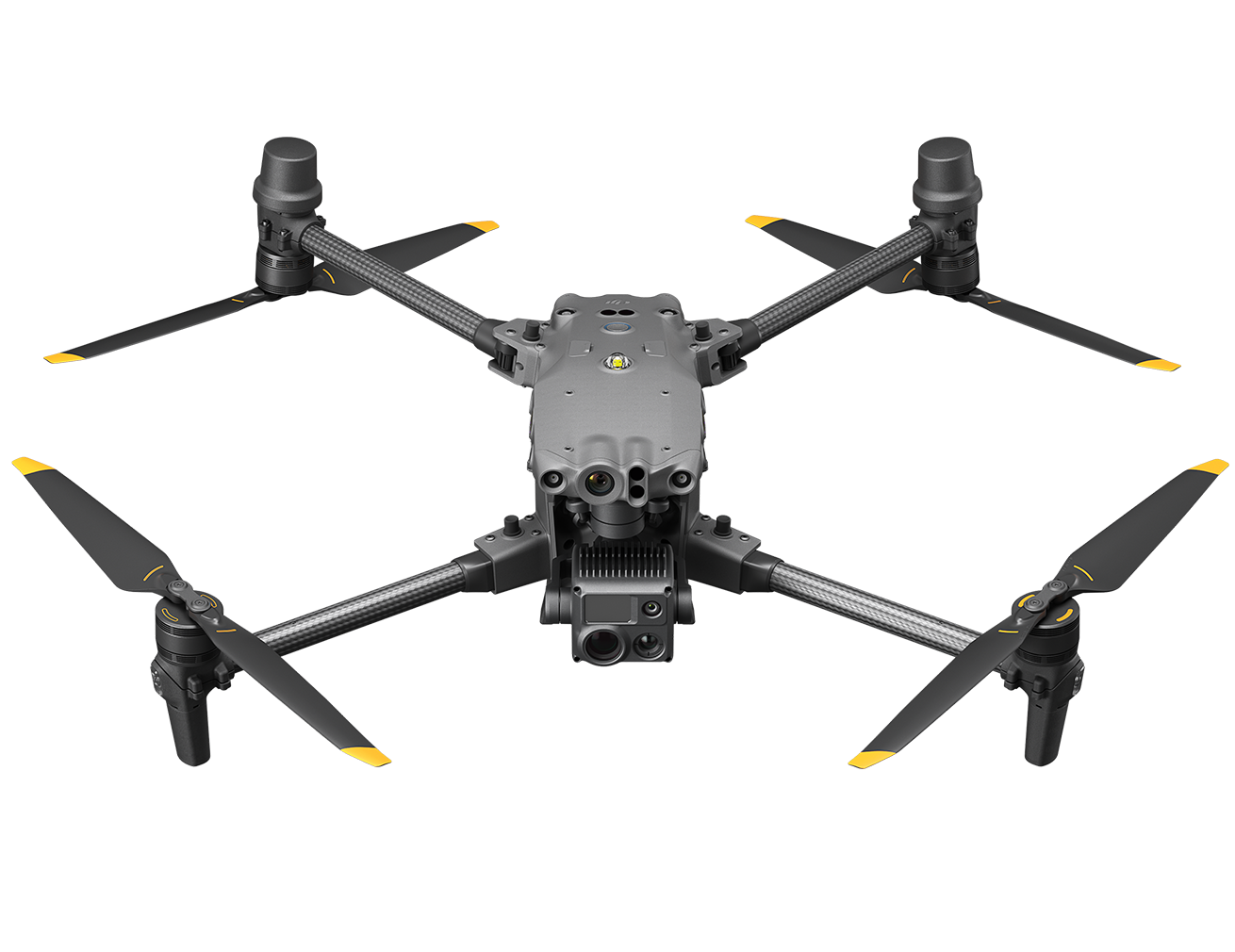
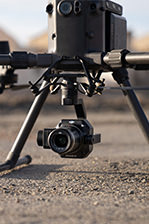
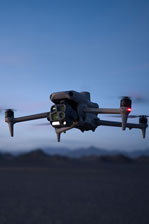
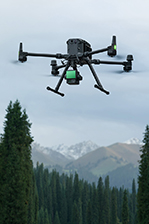
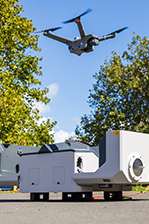
DJI Dock 4 swaps batteries in 25 seconds for 24/7 automatic operations. Its DJI Matrice 5TD features wide-angle and infrared cameras, mmWave radar, LiDAR, and AI that detects 17 object types.
DJI Dock 4 swaps batteries in 25 seconds[1] for 24/7 automatic operations, urgent or continuous. Its DJI Matrice 5TD features wide-angle and infrared cameras, mmWave radar, LiDAR, and AI that detects 17 object types. The DJI O4 Ground Station[2] unlocks complex sites, while the AI-powered workflow from DJI FlightHub 2[3] streamlines every operation.
Ready in Seconds for Rapid Response
Airborne on Alert, Ahead of Ground Crews
The drone launches as soon as the cover opens, flying to the scene at up to 21 m/s[4] to arrive ahead of ground crews and instantly stream the live video.
Instant Launch
Once a command is issued, the drone launches instantly with no pilot on site needed. Nighttime and holiday emergencies get a response in seconds.
21m/s Rapid Arrival[4]
At a top speed of 21 m/s[4], the drone flies directly to the scene regardless of traffic conditions, saving critical time when it matters most.
Swap, Relay, Sustain
For continuous tasks like emergency response, the dock completes a fully automatic battery swap in just 25 seconds[1], cutting the turnaround between flights from a 30-minute recharge to just seconds.
25-Second Battery Swap
Fully automatic battery swapping takes just 25 seconds[1]. The previous flight's data transfers automatically during the swap.
Extended Endurance
A single flight lasts up to 59 minutes[5], covering more area in one takeoff.
Wide Operating Temperature Range
Operating reliably from -40° to 50° C, the dock auto-preheats the batteries in the cold, and uses air conditioning in high temperatures.
Task Relay
Any two aircraft in a project can auto-rotate across points, with one flying and the other on standby for uninterrupted situational awareness during emergency responses.
Live From the Scene, Remote Yet Accurate
With low-latency livestreams and high-speed data transfer, remote commanders can access the scene in real time and make decisions from off-site.
Low-Latency Livestream
A dedicated video transmission topology cuts drone-to-cloud latency to about 160 ms[6], down about 43% from the previous generation, for a smoother live view.
Anti-Interference Transmission
Dual 4G modules[7], sub2G transmission[8] and O4 Ground Station deployed at an elevated position deliver stability in obstructed environments.
Fast Data Transfer
During the battery swap, the drone sends flight data to the dock over a high-speed Wi-Fi channel at average speeds of 80MB/s[9].
.jpg)
Multi-Sensor Integration for Greater Versatility
Near and Far, Day and Night
Matrice 5TD combines telephoto imaging, infrared imaging, laser ranging, and full-colour night vision while delivering aerial survey accuracy up to 10 cm at 12MP[10]. Daytime inspections, nighttime security, and surveying are all handled by one drone, with no airframe swaps between scenarios, boosting equipment ROI by 50%[24].
11× Telephoto
With a 252 mm equivalent focal length, it captures detail from signs 400 m away[11] and spots bolt- and pin-level defects at 100 m for powerline inspection.
Infrared Camera
Resolution reaches 1280 × 1024, or 2560 × 2048 in UHR mode, revealing overheating and damaged insulators, with 2K recording and 32× zoom for night subjects.
Fusion Mode
Visible-light and infrared feeds fuse into one frame, with edge or overlay fusion modes, showing structure outlines and heat distribution without switching feeds.
Sharper Night Performance
Full-colour 4K high-frame-rate night vision captures colour images at night without switching on the spotlight. The camera also pairs with the NIR auxiliary light for black-and-white night vision.
3km Laser Ranging
Overlays range data and PinPoint coordinates on the feed for powerline inspections, rescue operations, or wildfire estimates.
More Payloads, More Flexibility
Matrice 5TD carries up to 450 g of payload, with side PSDK mounts and a top mount that can be used simultaneously. Mix and match accessories[12] to suit the task.
450g Max Payload
With three mounting positions[13] and an effective payload capacity of up to 450 g, the drone can provide lighting, broadcasting, and ground safety in a single flight.
Speaker/Spotlight[25]/Parachute Combo
Mount a speaker, spotlight[25], and parachute together to provide aerial voice guidance and layered lighting during nighttime search operations, keeping ground crews safe.
Built-In Customisable Warning Light
A built-in Customisable Warning Light supports custom colours and flash patterns, requiring no additional installation.
.jpg)
Robust Protection for Reliable Flight
Safe Flight, Even in Complex Environments
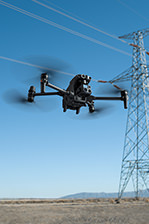
With three-directional mmWave radar, a rotating LiDAR, and a six-directional vision sensing system working together, Matrice 5TD achieves precise obstacle sensing[15], even inside a substation packed with live equipment or around crossing distribution lines.
Wire-Level Obstacle Sensing[15]
Combining a rotating LiDAR, mmWave radar[14], and full-colour low-light fisheye sensors, this system detects thin obstacles, including powerlines, even at night.
Full-Colour Six-Directional Sensing
Six-directional sensing works with six high-res low-light fisheye sensors to maintain obstacle sensing[15][16] even under city lights at night.
Flexible Deployment for Complex Sites
Powered by Matrice 5TD's LiDAR and visual SLAM, anti-interference and anti-spoofing algorithms, plus the DJI O4 Ground Station[2], DJI Dock 4 can be deployed alongside high-rises[17] or on a mobile vehicle-mounted platform (coming soon)[18].
Near High-Rise Buildings[17]
Installing O4 Ground Station[2] on rooftops improves signal quality, allowing Dock 4 to be deployed near high-rise buildings or along substation walls.
On Vehicles (Coming Soon)
The drone can take off while the vehicle is parked and land at the new stop after the vehicle reaches a new location[18].
Multi-Station Roaming
The O4 Ground Station supports multi-station roaming, enabling the drone to seamlessly switch between multiple ground stations to eliminate coverage blind spots.
Safe, Even When the Unexpected Hits
From multi-drone sensing and warning to emergency landing, Matrice 5TD is ready for the unexpected. A parachute cushions descent to protect people and gear on the ground, multi-drone sensing and warning helps keep the skies safe, and High-Wind Descent RTH brings the drone back safely in extreme weather.
Parachute
Top-mounted on Matrice 5TD, featuring independent power, full-link redundancy, auto/manual deployment, and an FTS compliant with EU C5/C6 and UK5/UK6[19].
Multi-Drone Sensing and Warning
Matrice 5TD's built-in ADS-B and RID receiver helps warn of nearby aircraft and RID-enabled DJI drones[20], overlaying tracks on the map for safer flight.
High-Wind Descent RTH
Matrice 5TD takes off, lands, and operates in winds up to 12 m/s. When winds spike during return, it descends and heads home safely, even over mountains and forests.
.jpg)
AI-Powered Workflow[3] for Intelligent Operations
Sees More, Understands More
Onboard AI on Matrice 5TD now detects 17 object types in real time, while the Virtual Cockpit allows users to search almost any object type via text or image.
Onboard Detection
Matrice 5TD runs real-time AI detection on the live feed, covering 17 object types, plus infrared hotspot detection and support for third-party AI models.
Generalised Intelligent Detection
Within the Virtual Cockpit, object searches work via text or image. The Multimodal LLM interprets prompts, detects objects, and triggers alerts for situational awareness.
From Alert to Action, Automatically
Once an anomaly is detected, the system can send SMS, email, or platform alerts and trigger actions such as snapshots, recording, tracking, or hovering actions, completing the cycle from detection to response.
FlightHub 2 Copilot
From drone control to flight commands, routes, and scheduled tasks, just describe it in natural language. FlightHub 2 Copilot turns your intent into drone commands.
Automated Workflows
Triggered workflows dispatch drones on third-party alerts such as DFR calls. Periodic workflows automatically handle collection, modeling, analysis, and reporting.
AI Post-Processing: Reports in Minutes
After each operation, the system uses AI to compare the latest data with historical aerial photos or 3D models, automatically annotates the results, and exports a report.
Post-Processing Smart Detection
Compares historical aerial photos to automatically flag facility damage, ground changes, and new unauthorised structures.
Change Detection Pro
AI compares historical aerial photos, marks changed areas, and generates a change report, compressing hours of work into minutes and eliminating frame-by-frame review.
.jpg)
Comprehensive Solutions With Integrated Software
DJI FlightHub 2, The All-in-One Cloud Platform
DJI FlightHub 2 combines rapid deployment, low-latency remote control, automated route tasks, real-time cloud detection, multimodal AI detection, post-processing, anomaly alerting, and OTA maintenance into one platform, covering every stage of operations from deployment and operations to air-ground coordination and long-term upkeep.
Cockpit, Routes & Dashboard
Virtual Cockpit remote control, route editing, timeline task management, multi-channel live streams, and a unified dashboard bring the command centre closer to the field.
Multiple Deployment Options (Public Cloud/On-Premises/All-in-One)
DJI FlightHub 2 is available as a public-cloud SaaS, an all-in-one appliance, or an On-Premises Version[21], meeting a range of deployment and data security needs.
OpenAPI & FlightHub Sync
FlightHub 2 connects with cloud platforms via FlightHub Sync's code-free integration. Developers can use OpenAPI to integrate functions and 2D/3D modeling, cutting cost.
DJI Enterprise App, Control in Your Pocket
The DJI Enterprise app handles on-site setup while serving as a hub for remote operations entry point. Beyond dock configuration and debugging, it supports task triggering and remote viewing.
One-Tap Drone Dispatch
Send a task from the app to wake the drone and dispatch it to the location in seconds for rapid emergency response.
Remote Control
Low-latency livestreams[6] give remote crews a real-time view of the scene, enabling informed decision-making off-site.
.jpg)
Secure and Compliant for Safer Operations
Ground Risk Mitigation
With a DJI-designed parachute, custom flight zones, and compliance-by-design flight control, DJI Dock 4 helps reduce flight risk and supports compliant operations in urban and complex environments.
Airspace Risk Mitigation
Remote ID sensing[20], AirSense, and third-party airspace data give operators real-time situational awareness, helping them assess risk before each task and make informed decisions during flight.
Drone Airspace Sensing
Matrice 5TD receives ADS-B signals from nearby aircraft and senses nearby drones[20], showing status on FlightHub 2 to help operators detect risks.
Third-Party Airspace Sensing
Connecting to third-party airspace info services, the platform shows conditions, restrictions, and risk tips near the task area, aiding pre-task and in-flight decisions.
O4 Ground Station Airspace Sensing
The DJI O4 Ground Station can connect a third party Remote ID receiver via MQTT to sense nearby drones or crewed aircraft in real time, safeguarding the airspace.
Data Protection
Data Collection Stage: Drone operations generate business, flight, and device data. Once generated, this data immediately enters an encrypted channel to prevent eavesdropping, hijacking, and man-in-the-middle attacks. This secures your data from the very first second.
Data Transmission Stage: DJI enforces strict encryption across all transmission nodes. Drone-to-Dock transmission uses TLS 1.2+ and AES-256 encryption. Dock-to-Cloud uploads use HTTPS, WSS, and TLS protocols. These measures prevent data from being intercepted or tampered with in transit.
Data Storage Stage: For stored data, DJI provides AES-256-CBC encryption for sensitive information like emails, phone numbers, and locations. Beyond encryption, strict access controls ensure users can access only authorised data. Meanwhile, all access activity is fully logged, providing a complete audit trail.
Data Deletion Stage: DJI supports data deletion at three levels: account, organisation, and device. Deleting an account removes only that user's data. Deleting an organisation wipes all associated organisational data. At the device level, local logs and cache can be cleared through the DJI Pilot app, or a full factory reset can be run to erase all device data. Whatever the situation, data can be effectively cleaned.
Open Ecosystem, Breaking Boundaries
Intelligent Computing Open Platform
An AI Inside feature upgrade introduces an all-new model architecture that supports dual-stream encoding, with model quantization tools and deployment channels for onboard algorithms, helping unlock new intelligent drone applications.
Third-Party Payloads
The aircraft features three E-Port interfaces and supports up to 450 g of payload, accommodating gas detectors, current-flow meters, and more, enabling a wider range of scenarios.
TerraGS-CesiumJS Web Plugin
Built on the CesiumJS engine, the plugin enables third-party software platforms to load, interact with, and visualize large-scale, high-precision 3DGS data in real time. It is widely used for city-scale 3D reconstruction, mixed reality, and digital twin applications.
PSDK V4
PSDK has been upgraded to PSDK V4, supporting MQTT-based communication and control between payload and aircraft to streamline hardware payload development and support more innovative use scenarios.
Cloud-to-Cloud Coordinated Operation
With DJI FlightHub 2's Open API, users can quickly connect FlightHub 2 to a third-party cloud platform, making it easy to manage operational data.
* The data listed on this page was measured for the mass-production DJI Dock 4 and DJI Matrice 5TD in a controlled test environment. Results may vary under different external conditions, usage, and firmware versions. Please refer to actual experience.
** All videos and images on this page were captured in strict compliance with applicable local laws and regulations. Samples are for illustration only; refer to actual shooting results. Know the relevant local laws and regulations and ensure the aircraft has the relevant certifications before flying.
*** DJI Matrice 5TD must be activated via the DJI Enterprise app before use.
**** To keep the device working reliably, perform regular maintenance.
* The OpenAPI support scope differs between the FlightHub 2 public cloud and On-Premises Version. See the DJI FlightHub 2 User Guide for details.
- Time elapsed from when the Dock Cover is fully closed to the completion of the battery swap. Measured in a controlled test environment and is for reference only.
- DJI Dock 4 must be used with the DJI O4 Ground Station. In Gateway Mode, the O4 Ground Station can connect to the DJI FlightHub 2 public cloud, On-Premises Version, all-in-one appliance, and third-party cloud platforms built on the DJI Cloud API or FlightHub Sync, via Ethernet or the DJI Cellular Dongle 2.
- 'AI-Powered Workflow' means AI is involved in the key stages of the drone operation workflow, including task breakdown, flight route planning, drone deployment, object detection, data analysis, and report generation.
- Currently, only FlyTo Tasks support flight speeds of up to 21 m/s. In other modes, the maximum flight speed is 15 m/s.
- Measured in a lab with no wind, with the aircraft carrying no payload, at 20 m altitude, flying forward at a constant 15 m/s until 0% battery remains. Results may vary under different external conditions, usage, and firmware versions. Refer to actual experience.
- Data is for reference only. Actual latency depends on network conditions and computer specs.
- Some countries and regions do not support 4G, consult your local dealer for details.
- Operating frequency allowed varies among countries and regions. Refer to local laws and regulations for more information.
- Measured in a near-field, interference-free lab in countries/regions that support 2.4 GHz/5.8 GHz dual-band. Download speeds may vary; refer to actual experience. The Wi-Fi high-speed channel download starts automatically after the drone lands at the dock and requires the included SD card. 80MB/s is the maximum transfer rate for large files like video; the transfer rate may decrease when transferring small files such as photos.
- At an altitude of 120 m in classic route aerial photography (orthographic or oblique area routes, non-Terrain-Follow) at 12MP, Matrice 5TD achieves an aerial-triangulation checkpoint accuracy of 10 cm. This data was measured at a DJI official test facility. Specific test conditions: (1) In a well-lit environment with clearly defined angular surface features, using an O4 Ground Station calibrated via custom network RTK, planning non-Terrain-Follow area routes in FlightHub 2 at default speed, 70% side overlap, and 80% frontal overlap, capturing 12MP wide-angle images; (2) Reference markers were bare, hard materials conforming to a diffuse reflection model; (3) Post-processing and modeling using DJI Terra or FlightHub 2.
- Measured with the telephoto camera aimed straight at the object. Measured in a controlled test environment and is for reference only.
- Some accessories are sold separately. Accessories mounted on the drone may affect obstacle-sensing safety or flight performance; follow the accessory instructions.
- Requires the Matrice 5TD Accessory Mount.
- The mmWave radar function may be unavailable or restricted in some countries or regions. Refer to local laws and regulations for more information.
- Supports obstacle sensing for 11 mm black rubber-insulated wires. Sensing and bypass performance varies with environment (cloud, fog, rain, snow) and the obstacle's material, position, and shape. Due to safety-system limits, the drone cannot actively avoid fast-moving objects; fly with caution in such conditions. See the user manual for details. In some countries/regions, the mmWave radar may be disabled or only partially functional; refer to local laws and regulations.
- Switches to black-and-white mode when light drops below 12 lux.
- Deployment near high-rise buildings depends on satellite positioning system coverage, currently supporting most regions in the Asia Pacific. When deploying the dock, install the O4 Ground Station in an open area. Before deployment, conduct an on-site survey of the O4 Ground Station installation location using a Matrice 4 Series or Matrice 4D aircraft. For coverage details and deployment instructions, refer to the Installation and Setup Manual.
- This feature is expected to be available in H1 2027. Refer to the follow-up firmware update information. It does not support takeoff or landing while the vehicle is moving; wait until the vehicle is parked before landing. Mobile vehicle-mounted deployment requires the Vehicle-Mounted Gimbal Mount and must comply with local regulations. Mind road safety and height limits while driving; see the Installation and Setup Manual.
- With the DJI AP1 parachute installed, DJI Matrice 5TD meets EU C5 and UK5 operational requirements (STS-01), and EU C6 and UK6 operational requirements (STS-02).
- Currently, this feature is active only for crewed aircraft equipped with an ADS-B Out transmitter, and select DJI models that support RID and OID.
- FlightHub 2 supports secondary development in different integration forms and scales through three channels: OpenAPI (atomic-level function APIs), independent front-end components (embeddable complex interactive UI components), and MQTT Bridge (device attribute data forwarding).
- Free Parts for Repairing: Within the coverage scope and limit, only the cost of parts required for repair is covered.
- DJI Care Enterprise service may vary by country/region. For details, please consult your local dealer. Unlimited Number of Free Repairs: Get free repairs within the coverage scope and amount. Shared Coverage: DJI Enterprise products that activate and bind DJI Care Enterprise Plus within the same period (30 calendar days) can share coverage limits. Flyaway Coverage: After linking your account and binding the gateway device (dock/O4 Ground Station) via the DJI Enterprise app, your device is covered for flyaway incidents. Free Two-Way Shipping: Available in regions covered by DJI Care Enterprise. Users are responsible for additional costs including logistics and customs duties incurred beyond the scope of coverage.
- This refers to Matrice 5TD's compatibility with the operational capabilities of both the Matrice 4TD and Matrice 4D.
- When the spotlight is turned on, obstacle sensing will be automatically disabled. Fly with caution.
- Official Extended Warranty Service: Includes the aircraft body, gimbal camera, and O4 Ground Station. In addition to the standard warranty, an extra one-year extended warranty service is provided. During the service period, the main parts remain covered by the official warranty, with support from professional engineers.
Product Specifications
Dock - General
Product Name: DJI Dock 4
Total Weight: 66 kg (without batteries in the battery compartment, aircraft not included)
The actual product weight may vary due to differences in batch materials and external factors.
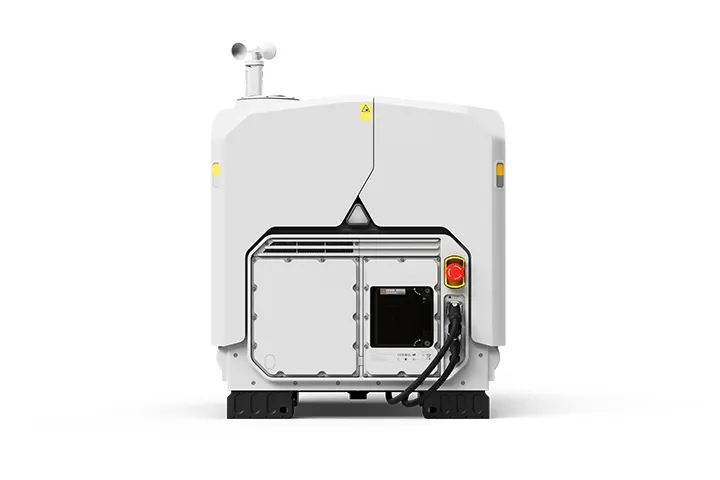
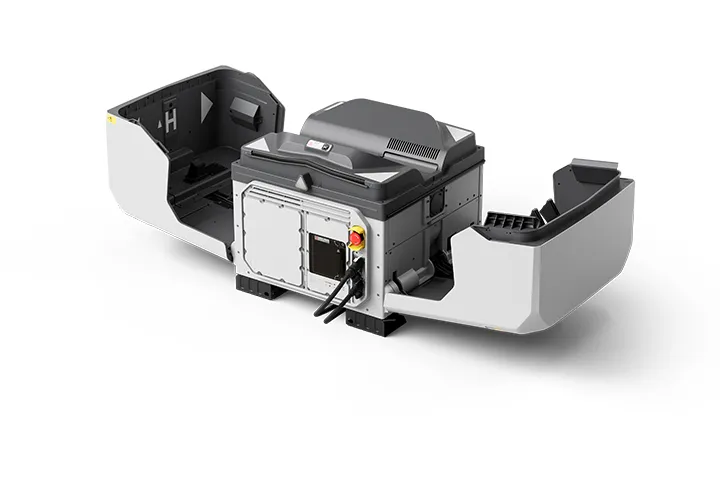
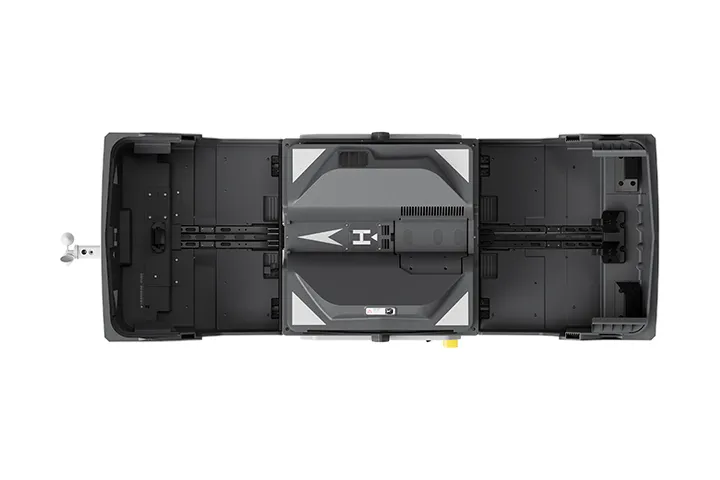
Dimensions: Dock Cover Opened: 1750×640×550 mm (L×W×H)
Dock Cover Closed: 639×640×836 mm (L×W×H)
All data includes the wind speed gauge height (145 mm) and mounting base brackets (69 mm).
Input Voltage: 100-240 V (AC), 50/60 Hz
Input Power: Max 2000 W
Operating Temperature: -40° to 50° C (-40° to 122° F)
Ingress Protection Rating: IP56
Max Operating Altitude: 5000 m
Number of Drones Accommodated: 1
Max Allowable Landing Wind Speed: 12 m/s
RTK Base Station: Supported via DJI O4 Ground Station
Receiving Frequency of RTK Base Station Satellite: Supported via DJI O4 Ground Station
Dock - Charging Performance
Charging Method: Battery Swapping + Wireless Charging
Battery Swap Time: < 25 s
Time elapsed from when the Dock Cover is fully closed to the completion of the battery swap. Measured in a controlled test environment and is for reference only.
Operational Turnaround Time: < 45 s
Time elapsed from when the aircraft lands from the previous flight to when it completes the battery swap and takes off again. Measured in a controlled test environment and is for reference only.
Max Number of Batteries Stored Across All Battery Compartments: 3
The dock has four battery compartments, each designed to hold one battery. To ensure proper operation of the battery-swapping mechanism, no more than three of the four compartments may contain a battery at any given time.
Max Number of Parallel Charging Channels: 2
Output Voltage: Per-channel output voltage: 15-25.8 V DC
Charging Time: Per-battery charging time: 27 minutes
Time required to charge the battery in the battery compartment from 15% to 95% level in a 25° C (77° F) environment.
Dock - Video Transmission
Operating Frequency: High-speed Wi-Fi connection:
2.4000-2.4835 GHz: < 23 dBm (IC), < 20 dBm (CE/SRRC/MIC)
5.7250-5.8500 GHz: < 23 dBm (IC/SRRC), < 14 dBm (CE)
DJI O4 Enterprise Enhanced Video Transmission System:
Supported via DJI O4 Ground Station
The supported operating frequency bands and their corresponding availability vary by country/region. For details, please refer to local laws and regulations.
Antenna: High-speed Wi-Fi connection: Single antenna
DJI O4 Enterprise Enhanced Video Transmission System: Integrated into the O4 Ground Station
Dock - Air Conditioning System
Air Conditioning Type: Compressor-based air conditioning
Operating Voltage: 48 V DC
Dock - Backup Battery
Backup Power Supply Method: Backup power is supplied by the aircraft battery housed in the dock battery compartment.
Battery Capacity: 12138 mAh
Output Voltage: 21.42 V
Battery Type: LiNiMnCoO2
Battery Life: Operating time per battery: approx. 4.5 hours
Supports sequential power supply across three batteries
Measured in a 25° C (77° F) environment with the backup battery discharged from 90% to 10%. After a power outage, the dock does not support functions like aircraft charging, air conditioning operation, and wind speed gauge heating. Please restore power promptly.
Dock - Network Access
Ethernet Access: Supported (requires connection to DJI O4 Ground Station)
4G Access: Requires use with DJI Cellular Dongle 2 (installed on DJI O4 Ground Station).
Dock - Sensor
Wind Speed Sensor: Supported
Rainfall Sensor: Supported
Ambient Temperature Sensor: Supported
In-Cabin Temperature Sensor: Supported
In-Cabin Humidity Sensor: Supported
Dock - Security Camera (External)
Resolution: 1920×1080
Field of View (FOV): 151°
Auxiliary Light: Auxiliary White Light
Dock - Security Camera (Internal)
Resolution: 1920×1080
FOV: 151°
Auxiliary Light: Auxiliary White Light
Dock - Lightning Protection
AC Power Port: 20 kA (rated value), meets EN 61643-11 Type 2 and IEC 61643-1 Class Ⅱ protection level requirements
Ethernet Port: 10 kA (Itotal), meets EN/IEC 61643-21 Category C protection level requirements
Dock - Supported Software
Applications: DJI Enterprise App (for on-site setup, testing, remote operations, live viewing, and one-tap drone dispatch)
Cloud Platform: FlightHub 2
FlightHub 2 On-Premises Version
FlightHub 2 FlightHub Sync
DJI Cloud API
O4 Ground Station - General
Dimensions: 170×170×352 mm
Weight: 2.68 kg
Operating Temperature: Direct connection to DJI Dock power supply: -40° to 55° C (-40° to 131° F)
The 55° C (131° F) upper limit accounts for solar radiation. At -40° C (-40° F), the device requires a windless environment; auto-restart after shutdown is not supported in windy conditions. After storage or operation in extreme temperatures, allow the internal backup battery to return to between 0° and 45° C (32° and 113° F) before charging.
PoE Auto Wake-Up: When connected to the DJI Dock 4 PoE port, the device automatically wakes up when plugged in or when power is restored.
Cold-Weather Heating Startup: Supported
Ingress Protection Rating: IP67
Please follow the requirements stated in the IP67 protection rating instructions. Measured in a controlled environment. The IP rating is not permanently effective and may decrease due to product wear and tear.
When the O4 Ground Station is installed close to the dock, use the Ethernet cable included in the package. When it is installed farther away, use the included waterproof Ethernet port connector. The cable must be Cat 6 or above outdoor-rated, waterproof twisted-pair cable with an outer diameter of 5.5 to 6.5 mm. Install the corrugated tubing and corrugated tubing plug, crimp the RJ45 connector, and tighten the connector nut.
Ensure all rubber port covers and the DJI Cellular Dongle 2 heat sink are properly installed. Unused WAN/LAN port screws must be fully tightened.
O4 Ground Station - GNSS Receiver
GNSS Frequency: GPS: L1C/A, L2C, L5
BDS: B1I, B2I, B3I, B1C, B2a, B2b
GALILEO: E1, E5a, E5b, E6
GLONASS: L1, L2
QZSS: L1C/A, L2C, L5
L-Band
System Accuracy: Horizontal: 1.0 cm (RMS) + 1 ppm
Vertical: 3.0 cm (RMS) + 1 ppm
RTK calibration is required. Measurement accuracy depends on various factors. This value is obtained under normal conditions with an unobstructed view, good satellite distribution, low ionospheric activity, and no electromagnetic interference or multipath effects.
O4 Ground Station - Video Transmission
Video Transmission: DJI O4 Enterprise Enhanced Video Transmission System
Operating Frequency and Transmitter Power (EIRP): 902 MHz to 928 MHz: < 30 dBm (IC), < 16 dBm (MIC)
2.400 GHz to 2.4835 GHz: < 33 dBm (IC), < 20 dBm (CE/SRRC/MIC)
5.150 GHz to 5.250 GHz: < 21 dBm (IC)
5.170 GHz to 5.250 GHz: < 23 dBm (CE)
5.725 GHz to 5.850 GHz: < 33 dBm (IC), < 14 dBm (CE), < 30 dBm (SRRC)
Operating frequency allowed varies among countries and regions. Refer to local laws and regulations for more information.
Antenna: OcuSync 4 Pro external directional antenna × 4
OcuSync 4 Pro internal directional antenna × 8
2.4G/5.2G/5.8G: 2T4R
sub2G: 2T2R
4G Antenna × 2
Operating frequency allowed varies among countries and regions. Refer to local laws and regulations for more information.
Network Access: Ethernet Access: Adaptive Ethernet port; Gigabit network is recommended, with both uplink and downlink bandwidth > 20 Mbps, preferably > 40 Mbps (when no other peripherals are connected), and network latency ≤ 100 ms for a better user experience*
4G Access: Requires the DJI Cellular Dongle 2**
* If these requirements are not met, the device may go offline or experience video stuttering.
** Sold separately. This service is not available in some countries and regions. Please consult your local dealer for details.
O4 Ground Station - Electrical Properties
Power Interface: Ethernet Port (PoE)
WAN: PoE-in
LAN: PoE-in
Ethernet Cable Requirements: Cat 6 or above outdoor-rated, waterproof twisted-pair cable; max length 80 m; outer diameter 5.5 to 6.5 mm
To reduce the risk of waterproofing failure and other reliability issues, use the Ethernet cable included with the DJI Dock for cable runs of less than 5 m from the Dock.
Power Consumption*: With DJI Dock 4:
Max Power Consumption (Including Heating): 65 W
Typical Power Consumption (Without Heating): 17.1 W
Low-Power Mode: 7 W**
* Measured in a controlled test environment and should be used for reference only. Actual power draw may be higher when accounting for losses in the power supply.
** Low-power mode is not recommended for use at temperatures of -40° to -20° C (-40° to -4° F).
Backup Battery: Li-ion
Capacity: 3250 mAh
Energy: 23.4 Wh
Backup Battery Operating Time (at room temperature): Battery preservation mode is enabled by default when powered via PoE. In the event of a sudden power loss, estimated runtime is 45 minutes.
Battery preservation mode: when powered via PoE, the system keeps battery voltage between 7.0 V and 7.4 V. If the battery voltage at insertion exceeds 7.5 V, the system will discharge it to the safe threshold before entering preservation mode; the battery will not charge to full capacity.
Battery discharge performance may decrease in low temperatures, reducing actual operating time.
Backup Battery Charging: Supports 9V or 12V PD charging. DJI 65W Portable Charger is recommended before deployment. When fully charged, estimated runtime is approx. 2 hours.
Charge time (65W PD): approx. 2.5 hours
Charging with a 5V charger is only supported when the device is powered off.
Charging is only supported when the battery cell temperature is between 0° and 55° C (32° and 131° F).
Ethernet Port Surge Protection: WAN/LAN Ports: Ethernet interface supports up to 10 kA (total discharge current) surge protection, meeting EN/IEC 61643-21 Category C.
Surge protection capability depends on the capacity and reliability of grounding. To minimize the risk of surges, please make sure that grounding is done properly during installation.
O4 Ground Station - Supported Software
Supported Software: DJI Enterprise App (for on-site setup, testing, remote operations, live viewing, and one-tap drone dispatch)
Cloud Platform: FlightHub 2
FlightHub 2 On-Premises Version
FlightHub 2 FlightHub Sync
Third-party cloud platform developed based on DJI Cloud API
External Device Support: Supports cameras using ONVIF and GB/T 28181 protocols
Supports up to 4 simultaneous 1080p H.264 video streams
The camera and the WAN port of the DJI O4 Ground Station must be connected to the same upstream switch. For details, see the DJI O4 Ground Station - IP Camera Configuration Guide.
Open Ecosystem: ESDK 2.0
Aircraft - General
Product Name: DJI Matrice 5TD
Weight: 2600 g
This value includes the weight of the battery, propellers, and a microSD card, but does not include third-party payloads. The actual weight may vary due to differences in batch materials and external factors.
Max Takeoff Weight: 3050 g
Dimensions: 393×477×230 mm (L×W×H, without propellers)
Wheelbase: Diagonal Wheelbase: 549 mm
Max Ascent Speed: 6 m/s
Max Descent Speed: 6 m/s
Max Horizontal Speed (at sea level, no wind): 21 m/s
Currently, only FlyTo Tasks (Fly to a Target Point) support flight speeds of up to 21 m/s. In other modes, the maximum flight speed is 15 m/s.
Max Wind Speed Resistance: 12 m/s
Max Takeoff Altitude: 6500 m
Aircraft without payload.
Max Takeoff Altitude at Full Load: 4500 m
Max Flight Time: 59 minutes
Measured under the following conditions: in a windless laboratory environment at 20 metres above sea level, with the aircraft flying forward without payload at a constant speed of 15 m/s from 100% battery level until 0%. Results may vary depending on the environment, actual use, and firmware version.
Max Hovering Time: 55 minutes
Measured with the aircraft hovering in a windless environment at 20 metres above sea level and from 100% battery level until 0%. Results may vary depending on the environment, actual use, and firmware version.
Max Operating Radius: 10 km
Measured in an environment of approximately 25° C (77° F) with a safe battery level of 15%, windless environment, round-trip flight speed of approximately 15 m/s, and hovering operation without payload of 25 minutes. Results may vary depending on the environment, actual use, and firmware version.
Max Flight Distance: 53 km
Measured with the aircraft flying at a constant speed of 15 m/s in a windless environment at 20 metres above sea level and from 100% battery level until 0%. Results may vary depending on the environment, actual use, and firmware version.
Max Pitch Angle: 25°
Currently supported in Normal Mode only.
Max Angular Velocity: 75°/s
Currently supported in Normal Mode only.
Global Navigation Satellite System: GPS + Galileo + BeiDou + QZSS + GLONASS
Hovering Accuracy Range (windless or breezy): Vertical:
±0.1 m (with vision positioning)
±0.04 m (with RTK positioning)
Horizontal:
±0.3 m (with vision positioning)
±0.02 m (with RTK positioning)
Operating Temperature: -40° to 50° C (-40° to 122° F)
Ingress Protection Rating: IP55
Motor Model: 3409.6
Propeller Model: 1564F foldable low-noise anti-ice propellers
RTK Module: Integrated on the aircraft
Beacon: Integrated on the aircraft
Warning Light: A customisable multicolor warning light, integrated into the bottom of the aircraft
Accessory Mounting Points: Two on the sides and one on the top
Requires the Matrice 5TD Accessory Mount.
Aircraft - Sensing
Sensing Type: Omnidirectional binocular colour vision system; horizontal rotating LiDAR; downward 3D infrared ranging sensor; and forward, upward, and downward mmWave radars
Forward: Measurement Range: 0.5 m to 25 m
Detection Range: 0.5 m to 200 m
Effective Sensing Speed: Flight Speed ≤ 15 m/s
FOV: Horizontal 95°, Vertical 90°
Backward: Measurement Range: 0.5 m to 25 m
Effective Sensing Speed: Flight Speed ≤ 15 m/s
FOV: Horizontal 95°, Vertical 90°
Lateral: Measurement Range: 0.5 m to 25 m
Effective Sensing Speed: Flight Speed ≤ 15 m/s
FOV: Horizontal 90°, Vertical 90°
Upward: Measurement Range: 0.5 m to 20 m
Effective Sensing Speed: Flight Speed ≤ 10 m/s
FOV: Front and Back 95°, Left and Right 90°
Downward: Measurement Range: 0.5 m to 20 m
Effective Sensing Speed: Flight Speed ≤ 8 m/s
FOV: Front and Back 90°, Left and Right 95°
Operating Environment: Forward, Backward, Left, Right, and Upward: Surfaces with discernible patterns and adequate lighting (lux > 0.1)
Downward: Diffuse reflective surface with discernible patterns, diffuse reflectivity > 20% (e.g. walls, trees, people), and adequate lighting (lux > 0.1)
Rotating LiDAR: Standard Measurement Range: 110 m @ 100,000 lux with 10% reflectivity target
Measurement Range for Power Line: 32 m @ 30° @ 35,000 lux for 21.6 mm steel-core aluminum stranded wire with a relative body tilt angle of 30° to the left and right
19 m @ 30° @ 35,000 lux for 11 mm black rubber cable (with surface soiling) with a relative body tilt angle of 30° to the left and right
Field of View (FOV): 360° (horizontal), 59° (vertical)
Point-Frequency: 250,000-460,000 points/second
Laser Wavelength: 940 nm
Safety Classification: Class 1 (IEC 60825-1:2014)
Downward 3D Infrared Sensor: Measurement Range: 0.3-8 m (reflectivity > 10%)
FOV: Front and Rear 60°, Left and Right 60°
Millimetre-Wave Radar: FOV: Vertical 90°, Horizontal 90°
Front Millimetre-Wave Radar: 40 m measurement range for a 12 mm black rubber cable directly ahead
Upper and Lower Millimetre-Wave Radars: 20 m measurement range for a 12 mm black rubber cable directly ahead
The mmWave radar function may be unavailable or restricted in some countries or regions. Refer to local laws and regulations for more information.
Aircraft - Video Transmission
Video Transmission System: DJI O4 Enterprise Enhanced Video Transmission System
Live View Quality: 1080p/30fps (with DJI Dock 4)
Video Transmission Transmitter Power (EIRP): DJI O4 Enterprise Enhanced Video Transmission System:
902-928 MHz: < 30 dBm (IC), < 16 dBm (MIC)
1.430-1.444 GHz: < 35 dBm (SRRC)
2.400-2.4835 GHz: < 33 dBm (IC), < 20 dBm (CE/SRRC/MIC)
5.150-5.250 GHz: < 21 dBm (IC)
5.170-5.250 GHz: < 23 dBm (CE)
5.725-5.850 GHz: < 33 dBm (IC), < 14 dBm (CE), < 30 dBm (SRRC)
High-speed Wi-Fi connection (802.11a/b/g/n/ac/ax):
2.4000-2.4835 GHz: < 23 dBm (IC), < 20 dBm (CE/SRRC/MIC)
5.7250-5.8500 GHz: < 23 dBm (IC/SRRC), < 14 dBm (CE)
The supported operating frequency bands and their corresponding availability vary by country/region. For details, please refer to local laws and regulations.
Max Transmission Distance (unobstructed, free of interference): IC: 40 km
SRRC: 25 km
CE/MIC: 12 km
Measured in an unobstructed outdoor environment free of interference. The above data shows the farthest communication range for one-way, non-return flights under each standard. Always pay attention to RTH reminders in DJI FlightHub 2 during your flight.
Max Transmission Distance (unobstructed, with interference): Strong Interference (downtown areas): 2.5-5 km
Medium Interference (suburban counties): 5-15 km
Low Interference (remote suburbs/coastal areas): 15-32 km
Data is tested under IC standard in unobstructed environments of typical interference. Only to serve as a reference and provides no guarantee as to the actual flight distance.
Max Transmission Distance (obstructed, with interference): Low interference with building obstruction: approx. 0-1 km
Low interference with vegetation obstruction: approx. 1-5 km
Data is tested under IC standard in obstructed environments of typical interference. Only to serve as a reference and provides no guarantee as to the actual flight distance.
Max Download Speed: 20MB/s (with DJI O4 Enterprise Enhanced Video Transmission System)
80MB/s (via high-speed Wi-Fi connection)
Measured in a near-field, interference-free lab in countries/regions that support 2.4 GHz/5.8 GHz dual-band. Download speeds may vary; refer to actual experience. The Wi-Fi high-speed channel download starts automatically after the drone lands at the dock and requires the included SD card. 80 MB/s is the maximum transfer rate for large files like video; the transfer rate may decrease when transferring small files such as photos.
Lowest Latency: The latency from the aircraft to the FlightHub 2 cloud platform is 160 milliseconds.
Data is for reference only. Actual latency depends on network conditions and computer specs.
Antenna: 8 antennas
2.4G/5.2G/5.8G: 2T4R
sub2G: 2T2R
Operating frequency allowed varies among countries and regions. Refer to local laws and regulations for more information.
Others: Built-in dual 4G modules
Data usage: ≤ 2.25 GB/30 minutes (dual-SIM dual-active backup transmission)
4G is not supported in some countries or regions. Please contact your local dealer for details.
Aircraft - Storage
Supported Memory Cards: U3/Class10/V30 or above is supported. A list of recommended microSD cards can be found below.
Recommended microSD Cards: Lexar SILVER PLUS 64GB U3 A2 V30 microSDXC
Lexar SILVER PLUS 128GB U3 A2 V30 microSDXC
Lexar SILVER PLUS 256GB U3 A2 V30 microSDXC
Lexar SILVER PLUS 512GB U3 A2 V30 microSDXC
Aircraft - Battery
Capacity: 12138 mAh
Voltage: 21.42 V
Max Charging Voltage: 25.8 V
Cell Type: Li-ion 6S
Chemical System: LiNiMnCoO2
Energy: 260 Wh
Weight: 925 g
Cycle Count: 400
Storage at high temperatures will shorten the battery's lifespan. If the cumulative storage duration at temperatures above 35° C (95° F) does not exceed 100 days within a 12-month period, the battery can support up to 400 cycles.
Charging Temperature: 10° to 55° C (50° to 131° F)
Discharge Rate: 3C
Max Charging Power: 1.8C
Low-Temperature Charging: Supports low-temperature self-heating charging
Aircraft - Gimbal
Stabilisation: 3-axis mechanical gimbal (tilt, roll, pan)
Mechanical Range: Tilt: -140° to +113°
Roll: -52° to +52°
Pan: -75° to +75°
Soft limits: tilt -130° to +90°, roll -47° to +47°, pan -70° to +70°.
Controllable Range: Tilt: -90° to +90°
Pan: Not controllable
Angular Vibration Range: ±0.005°
Max Control Speed (tilt): 100°/s
Aircraft - Camera
Image Sensor: Wide-Angle Camera: 1/0.98-inch CMOS, Effective Pixels: 50 MP
Medium Tele Camera: 1/1.28-inch CMOS, Effective Pixels: 50 MP
Tele Camera: 1/1.5-inch CMOS, Effective Pixels: 50 MP
Lens: Wide-Angle Camera
FOV: 85.7°
Format Equivalent: 23.5 mm
Aperture: f/1.8
Focus: 0.6 m to ∞
Medium Tele Camera
FOV: 35°
Format Equivalent: 70 mm
Aperture: f/2.88
Focus: 3 m to ∞
Tele Camera
FOV: 9.7°
Format Equivalent: 252 mm
Aperture: f/2.8
Focus: 5 m to ∞
Lens Defogging: Wide-angle, medium tele, and tele cameras all support lens defogging.
ISO Range: Normal Mode: ISO 100 to ISO 25600
Night Scene Mode:
Wide-Angle Camera: ISO 100 to ISO 1638400
Medium Tele Camera: ISO 100 to ISO 1638400
Tele Camera: ISO 100 to ISO 1638400
Shutter Speed: Wide-Angle Camera: 2-1/8000 s
Medium Tele Camera: 2-1/8000 s
Tele Camera: 2-1/8000 s
Max Image Size: Wide-Angle Camera: 8192×6144
Medium Tele Camera: 8192×6144
Tele Camera: 8192×6144
Minimum Photo Interval: 0.5 s
Still Photography Modes: Wide-Angle Camera:
Single: 12 MP / 50 MP
Timed: 12 MP / 50 MP
JPEG: 0.5/0.7/1/2/3/5/7/10/15/20/30/60 s
Smart Capture: 12 MP
Panorama: Approx. 110 MP (stitched image)
Medium Tele Camera:
Single: 12 MP / 50 MP
Timed: 12 MP / 50 MP
JPEG: 0.5/0.7/1/2/3/5/7/10/15/20/30/60 s
Smart Capture: 12 MP
Tele Camera:
Single: 12 MP / 50 MP
Timed: 12 MP / 50 MP
JPEG: 0.5/0.7/1/2/3/5/7/10/15/20/30/60 s
Smart Capture: 12 MP
Video Codec and Resolution: Video Codec: H.265
Encoding Strategy: CBR, VBR
Resolution:
4K: 3840×2160@30fps
FHD: 1920×1080@30fps
Video Bitrate: H.265: 40 Mbps
Supported File System: exFAT
Photo Format: JPEG
Video Format: MP4, TS
Digital Zoom: Tele Camera:
16× (176× hybrid zoom)
Aircraft - NIR Auxiliary Light
Infrared Illumination: FOV: 5.2° to 6.6°
Aircraft - Laser Module
Laser Rangefinding: Normal Incidence Range: 3000 m (1 Hz, @25% reflectivity target*, 8000 m visibility)
Oblique Incidence Range: 1200 m (1 Hz, 1:10 Oblique Distance)
Blind Zone: 1 m
Ranging Accuracy: (@ 20%-90% reflectivity, 1-10 Hz)
Systematic Error:
Within 12 m: < 0.1 m
12 m to 100 m: < 0.3 m
100 m to 3000 m: < 1 m
Random Error:
< 0.1 m (1σ)
Safety Classification: Class 1 (IEC 60825-1:2014)
* Performance degradation may occur in rainy or foggy conditions.
Aircraft - Infrared Thermal Camera (DJI Matrice 5TD)
Thermal Imager: Uncooled VOx Microbolometer
DO NOT expose the infrared camera lenses to strong sources of energy such as the sun, lava, or a laser beam. Otherwise, the camera sensor may be burned, leading to permanent damage.
Resolution: 1280×1024
Pixel Pitch: 8 μm
Frame Rate: 30 Hz
Lens: DFOV: 45°
Format Equivalent: 53 mm
Aperture: f/0.85
Focus: 10 m to ∞
Sensitivity: ≤ 50 mK@f/1.0, at an ambient temperature of 25° C (77° F)
Temperature Measurement Method: Spot Measurement, Area Measurement
Temperature Measurement Range: High Gain Mode: -40° to 150° C (-40° to 302° F)
Low Gain Mode: 0° to 550° C (32° to 1022° F)
Visible-Thermal Fusion: Supported
Palette: White Hot/Black Hot/Tint/Iron Red/Hot Iron/Arctic/Medical/Fusion/Rainbow 1/Rainbow 2
Photo Format: JPEG (8-bit)
R-JPEG (16-bit)
DLT-664
Video Resolution: UHR Infrared Image Mode: 2560×2048@30fps
Normal Mode: 1280×1024@30fps
Video Bitrate: 12 Mbps (H.265, 1280×1024@30fps)
24 Mbps (H.265, 2560×2048@30fps)
Video Format: MP4
Still Photography Modes: Single
Normal Mode: 1280×1024
UHR Infrared Image Mode: 2560×2048
Timed
Normal Mode: 1280×1024, 0.7/1/2/3/5/7/10/15/20/30/60 s
UHR Infrared Image Mode: 2560×2048,
0.7/1/2/3/5/7/10/15/20/30/60 s
Digital Zoom: 32×
Infrared Wavelength: 8-14 μm
Infrared Temperature Measurement Accuracy: High Gain: ±2° C or ±2%, whichever is greater
Low Gain: ±5° C or ±3%, whichever is greater
Temperature Alert: Supported
Sun Burn Protection: Supported
AL2D Spotlight
Weight: 115 g (excluding bracket)
Dimensions: 91×54×60 mm (L×W×H, excluding bracket)
Max Power: Spotlight: 40 W
Floodlight: 18 W
Both On: 48 W
Illuminance: Spotlight: 11.2±0.5 lux @ 100 metres
Floodlight: 2.7±0.2 lux @ 100 metres
This data was measured with the aircraft hovering in a laboratory environment at an ambient temperature of 25° C (77° F).
Effective Illumination Angle: Spotlight: 14.5° (10% center illuminance)
Floodlight: 23° (10% center illuminance)
Effective Illumination Area: Spotlight: 500 square metres @ 100 metres (10% center illuminance)
Floodlight: 1,300 square metres @ 100 metres (10% center illuminance)
Operating Mode: Always-On Mode: Spotlight, Floodlight, Both On, and Auto (automatically switches lighting modes based on the zoom level)
Strobe Mode: Slow, Fast
When the spotlight is turned on, visual obstacle sensing is disabled and only the mmWave radar and LiDAR remain active, reducing omnidirectional obstacle sensing performance. Fly with caution.
Gimbal Mechanical Range: Tilt: -135° to +135°
Gimbal Controllable Range: Tilt: -90° to +90°
Gimbal Max Control Speed (tilt): 120°/s
Gimbal Alignment Accuracy: ±0.1°
Operating Temperature: -40° to 50° C (-40° to 122° F)
Ingress Protection Rating: IP55
Mounting: Mounted on the right side of the aircraft using the Matrice 5TD Accessory Mount. Make sure to tighten the mounting screws during installation.
AS2D Loudspeaker
Weight: 188 g (excluding bracket)
Dimensions: 132×47×54 mm (L×W×H, excluding bracket)
Max Power: 30 W
Max Volume: 120.5 dB @ 1m
Data measured in a laboratory environment at 25° C (77° F). Actual conditions may vary slightly due to software version, audio source, specific environment, and other factors. The final effect is subject to actual use.
Effective Broadcast Distance: 400 m
Data measured in a laboratory environment at 25° C (77° F). Actual conditions may vary slightly due to software version, audio source, specific environment, and other factors. The final effect is subject to actual use.
Broadcast Mode: Real-time broadcasting, record & broadcast, file import (supports playback during transfer), text-to-speech
Text-to-Speech Language: Chinese, English, Japanese, Korean, French, Spanish, German
Only Chinese and English support both male and female voices; other languages support female voices only.
Operating Temperature: -40° to 50° C (-40° to 122° F)
Ingress Protection Rating: IP55
Mounting: Mounted on the left side of the aircraft using the Matrice 5TD Accessory Mount. Make sure to tighten the mounting screws during installation.
AP1 Parachute
Weight: 107 g (excluding bracket)
Dimensions: 92×70×56 mm (L×W×H, excluding bracket)
Max Supported Takeoff Weight: 3050 g
Operating Altitude: 0-5000 m
Stabilized Descent Speed: < 6 m/s
Measured in a windless environment at 25° C (77° F), at an altitude between 30 m and 500 m, with DJI Matrice 5TD taking off at the max takeoff weight of 3050 g. Data is for reference only. Actual experience may vary depending on the environment, usage, and firmware version.
Effective Deployment Altitude: ≥ 35 m
The minimum effective deployment altitude of DJI AP1 Parachute is 35 m (the minimum vertical altitude required for the parachute to stabilize the aircraft's descent below 6 m/s). If deployed below 35 m, the parachute will still eject, but may not fully inflate to adequately slow the descent. Additionally, in some cases, auto-deployment may not trigger, requiring manual operation. Please fly with caution. For detailed features and trigger conditions, visit the official product page.
The 35 m data was measured in a windless environment at 25° C (77° F), at an altitude below 500 m, with DJI Matrice 5TD taking off at the max takeoff weight of 3050 g. Data is for reference only. Actual experience may vary depending on the environment, usage, and firmware version.
Automatic Deployment Response Time: 600 ms
Measured in a controlled laboratory environment. With DJI Matrice 5TD hovering and propellers spinning, this is the total time interval recorded from the triggering of the Flight Termination System (FTS) signal, through the confirmation of a complete rotor stop, to the triggering of the gas generator's electrical signal. Data is for reference only. Actual experience may vary depending on the environment, usage, and firmware version.
Deployment Method: Manual/Automatic
Operating Temperature: -40° to 50° C (-40° to 122° F)
Ingress Protection Rating: IP55
Mounting: Mounted on top of the aircraft using the Matrice 5TD Accessory Mount. Make sure to tighten the mounting screws during installation.
Audible and Visual Alarms: Aircraft beeping and indicator flashing
Backup Power Duration: 30 s
Measured at 25° C (77° F) with the parachute in its factory state, or when the parachute is connected to the aircraft for over 10 minutes of flight time each month. Data is for reference only. Actual experience may vary depending on the environment, usage, and firmware version.
Self-Check: Continuously checks the status of the gas generator and communication links, displaying alerts via the DJI FlightHub 2 Health Management System (HMS) interface.
Independent FTS Link: Supported
Matrice 5TD Accessory Mount
Weight: 40 g
Dimensions: 117×126×70 mm (L×W×H)
Number of Supported Mounting Points: 3
In the box
WHY BUY FROM US?
By buying from Ferntech, you'll have the confidence that you are dealing directly with New Zealand's leading drone experts. Our staff are knowledgable drone pilots who offer expert advice, trusted support and superior specialist service. Only through us will you receive a full New Zealand warranty, phone and email support, and access to our certified Repairs Centre with DJI-qualified drone technicians. And we guarantee that we will have the best prices on the market — if not let us know and we will match any price (conditions apply).
Warranty Details
Dock
What are the key upgrades in DJI Dock 4 compared with DJI Dock 3?
DJI Dock 4 offers the following major upgrades over DJI Dock 3:
1. Adds a battery swapping mechanism, allowing a battery swap to be completed in just 25 seconds.
2. Expands the operating temperature range to -40° to 50° C (-40° to 122° F).
3. Integrates the video transmission and RTK modules into the O4 Ground Station, which is required for use and enables more flexible deployment.
4. The batteries in the battery compartment can also serve as backup power for the dock.
5. Supports Wi-Fi QuickTransfer, enabling high-speed transfer of media files back to the dock after the aircraft lands.
6. The O4 Ground Station supports video transmission over the sub2G frequency band, improving anti-interference performance.*
7. Supports deployment near high-rise buildings and in other complex scenarios.**
* Supported operating frequencies and their availability vary by country/region. For details, please refer to local laws and regulations.
** Deployment near high-rise buildings depends on satellite positioning system coverage, currently supporting most regions in the Asia Pacific. When deploying the dock, install the O4 Ground Station in an open area. Before deployment, conduct an on-site survey of the O4 Ground Station installation location using a Matrice 4 Series or Matrice 4D aircraft. For coverage details and deployment instructions, refer to the Installation and Setup Manual.
How long does DJI Dock 4 take to swap the aircraft battery? What is the minimum interval between two consecutive operations?
The battery swap takes 25 seconds, measured from the time the dock cover is fully closed.
The minimum interval between two operations is 45 seconds.*
Data was obtained in a controlled test environment and is for reference only.
* This refers to the time from when the aircraft lands after the previous flight to when it takes off again after the battery swap is completed.
How do I swap the battery of an aircraft used with DJI Dock 4?
Three methods are available:
1. After the aircraft completes an operation and returns to the dock, if the battery level is below 79%, the dock will automatically swap the battery.
2. Go to DJI FlightHub 2 and navigate to Devices > select the corresponding device > Device Maintenance > Remote Debugging > Dock Control > Manual Swap, and select the battery in the corresponding slot to perform the swap.
3. Connect a mobile phone to the dock, open the DJI Enterprise app, tap Debug > Battery Swap > Manual Swap, then select the battery in the corresponding slot to perform the swap.
How many batteries can the battery compartments of DJI Dock 4 accommodate at most?
The dock has four battery compartments, each designed to hold one battery. To ensure proper operation of the battery-swapping mechanism, no more than three of the four compartments may contain a battery at any given time.
How do I enable backup battery power for DJI Dock 4?
When grid power supply is unavailable, short-press and then press and hold the multifunction button inside the power distribution cabinet to enable backup battery power*. When grid power supply is available, backup power will be enabled automatically, and no additional action is required.
* Make sure that at least one battery is installed in the dock's battery compartments. After AC power is disconnected, if the battery level of the installed battery/batteries in the battery compartments is above 10%, the backup battery can automatically power the dock. Short-press and then press and hold the multifunction button to disable or enable backup battery power.
How do I power off DJI Dock 4?
If at least one battery is installed in the dock's battery compartments, turn off the AC power switch first. Then short-press and press and hold the multifunction button inside the power distribution cabinet to disable backup battery power.
If no battery is installed in the dock's battery compartments, simply turn off the AC power switch.
How do I reset the battery swapping turntable of DJI Dock 4?
Two methods are available:
1. Ensure that the battery swapping turntable is free of foreign objects, then press and hold the battery installation/removal confirmation button on the power distribution cabinet panel for 10 seconds to reset the turntable.*
2. Power off the dock and then power it back on. The battery swapping turntable will automatically reset.
* If the battery installation or removal operation times out, the battery compartment indicator will stop blinking rapidly, and the system will not respond when the battery installation/removal confirmation button is pressed and held. In this case, short-press the battery installation/removal selection button to reset the battery swapping turntable. A timeout is triggered if no operation is performed within 3 minutes after a battery is installed or removed.
Does DJI Dock 4 support edge computing?
Yes. Edge computing is supported via the O4 Ground Station, which can be connected to an external switch for data communication.
Does DJI Dock 4 support private 4G enhanced video transmission?
Yes. For details, please visit https://developer.dji.com/resources/server/free/.
Which aircraft are compatible with DJI Dock 4?
DJI Dock 4 is compatible only with DJI Matrice 5TD.
How do the cooling and heating systems of DJI Dock 4 operate?
Cooling: The cooling function will be enabled when the ambient temperature exceeds 5° C (41° F), the battery in the dock's battery compartment is charging, and the battery temperature exceeds 35° C (95° F). Cooling will be disabled after the battery stops charging and the temperature drops below 30° C (86° F).
Heating: The heating function will be enabled when the ambient temperature is below 5° C (41° F), and both the temperature inside the dock and the battery temperature are below 35° C (95° F). Heating is disabled when either the temperature inside the dock or the battery temperature is above 35° C (95° F).
The cooling and heating logic may change as it is optimized through firmware updates. Actual operation may vary.
What are the installation environment requirements for DJI Dock 4?
DJI Dock 4 should be installed in an environment with stable power supply and network connectivity, at an altitude of no more than 5,000 metres. The O4 Ground Station must be installed in an open and unobstructed location. Before permanently installing the station, use the aircraft to conduct a site survey and select the installation location. For details, please refer to the Installation and Setup Manual.
What are the maximum wind speed and rainfall intensity under which DJI Dock 4 can operate normally?
The maximum wind speed is 12 m/s, and the maximum rainfall intensity is 2 mm/h.
Does the backup power supply of DJI Dock 4 support aircraft charging?
No.
Can DJI Dock 4 continue operations after a grid power outage?
Yes. After a grid power outage, the dock can continue operating by using the batteries in its battery compartments to swap the aircraft battery.
With grid power, a single battery in the dock's battery compartment is enough for a swap; without grid power, at least two batteries are required.
How does the aircraft achieve precision landing at DJI Dock 4?
The aircraft first returns to the departure point using RTK positioning, then uses LiDAR and visual SLAM to build an environmental map. It then combines this map with the visual markers on the dock's landing pad to achieve precise positioning and landing.
How do I purchase DJI Dock 4?
Please contact your local DJI dealer.
Which aircraft can be used to conduct site surveys for DJI Dock 4?
DJI Matrice 4 Series and DJI Matrice 4D Series.
The aircraft and remote controller must be updated to the latest firmware.
Can DJI Dock 4 be used without connecting to the O4 Ground Station?
No. It must be used with the O4 Ground Station.
Is the mounting hole pattern of DJI Dock 4 compatible with DJI Dock 3?
Yes. Both use a 400 mm × 400 mm mounting hole pattern.
What are the minimum network bandwidth requirements for DJI Dock 4?
The dock connects to the network via an Ethernet port with auto-negotiation. A Gigabit Ethernet connection is recommended. Both uplink and downlink bandwidth must exceed 20 Mbps, and 40 Mbps or higher is recommended when no external devices are connected. Network latency should be no more than 100 ms for a better user experience.
What is the operating noise level of DJI Dock 4?
Less than 60 dB in Silent mode; 65 dB in Normal mode.
O4 Ground Station
What precautions should be taken when installing the O4 Ground Station for use with DJI Dock 4?
The O4 Ground Station should be installed in an elevated, open, and unobstructed location, away from interference from communications equipment and obstructions caused by metal objects. It should be securely mounted on the ground or a wall. The cable run between the dock and the O4 Ground Station should be 1.5 to 80 metres. To ensure the quality of the video transmission signal between the O4 Ground Station and the aircraft while it is in the dock, maintain a clear line of sight between the two during deployment.
What are the main functions of the O4 Ground Station?
It provides the dock with video transmission, RTK base station functionality, network connectivity, data processing, among other functions.
How do the O4 Ground Station and the dock communicate?
The O4 Ground Station and the dock are connected via an Ethernet cable. With Power over Ethernet (PoE), the cable transmits network data while also providing a stable power supply to the O4 Ground Station.
Can the O4 Ground Station connected to DJI Dock 4 be used with other aircraft?
The O4 Ground Station connected to the dock can only be used with the paired aircraft. It cannot be used as a roaming station to connect to other aircraft.
Aircraft
What upgrades does DJI Matrice 5TD offer compared with Matrice 4TD?
Compared with DJI Matrice 4TD, DJI Matrice 5TD includes the following major upgrades:
1. The video transmission operating frequency band has been expanded to include sub2G, improving video transmission interference resistance.
2. Features built-in dual 4G enhanced video transmission modules.*
3. Provides a maximum flight time of up to 59 minutes.**
4. Supports operation in ambient temperatures ranging from -40° to 50° C (-40° to 122° F).
5. Infrared thermal camera resolution has been upgraded to 1280 × 1024, and the ultra-telephoto camera has been upgraded to 11× zoom.
6. Integrates a customisable multi-colour warning light.
7. Integrates LiDAR and millimetre-wave radar.
8. Supports a maximum payload of 450 g, provides three external interfaces, and allows payload accessories to be mounted on the top and both sides of the aircraft body.
9. Onboard AI detection now supports 17 object types.
* 4G is not supported in some countries or regions. Please contact your local dealer for details.
** Measured under the following conditions: in a windless laboratory environment at 20 metres above sea level, with the aircraft flying forward without payload at a constant speed of 15 m/s from 100% battery level until 0%. Results may vary depending on the environment, actual use, and firmware version.
What is the IP rating of DJI Matrice 5TD?
IP55.
What precautions should be taken when using the infrared thermal camera of DJI Matrice 5TD?
DO NOT expose the infrared camera lenses to strong sources of energy such as the sun, lava, or a laser beam. Otherwise, the camera sensor may be burned, leading to permanent damage.
Why can the arms of the DJI Matrice 5TD be moved, and why are there visible gaps at the base of the arms?
DJI Matrice 5TD incorporates rotational dampers at the base of each arm to reduce arm vibration, ensuring reliable, long-term flight in various environments. Slight arm rotation and visible gaps at the arm bases are normal and are part of the vibration reduction design. Do not forcibly move or swing the arms during transport to avoid damage.
What precautions should be taken when using the anti-ice propellers of the DJI Matrice 5TD?
The anti-icing effectiveness of the propellers decreases over time with use. Replace the propellers at least every 12 months or every 500 flight hours, whichever comes first.
Do not scratch the propeller surfaces or touch them directly with your fingers. Do not use oil-based or alcohol-based solvents to clean the propellers, as this may damage the anti-icing layer on the surface.
Each set of propellers is matched for dynamic balance. When replacing propellers, use propellers from the same package. Do not mix them with propellers from other packages.
If a propeller becomes deformed or damaged during use, replace it promptly. When replacing propellers, also replace the matching washers and screws. Do not reuse the washers or screws. When replacing the propeller clamp, make sure the locating pin on the propeller clamp is seated in the corresponding mounting hole on the motor.
Why are the propeller tips of the DJI Matrice 5TD curved?
To provide better noise reduction.
Does DJI Matrice 5TD support manual flight using a remote controller?
No.
How do I use the built-in 4G Enhanced Transmission modules of DJI Matrice 5TD?
DJI Matrice 5TD features built-in dual 4G modules. A SIM card can be inserted. After confirming that your data plan has sufficient balance, enable 4G through either of the following paths:
Device Status Window > Remote Debugging, then turn on the 4G switch
Devices > Device Maintenance > Remote Debugging > Aircraft Control, then turn on the 4G switch
4G is not supported in some countries or regions. Please consult your local dealer for details.
Does DJI Matrice 5TD support mounting multiple payloads at the same time?
Yes. It can carry up to three payloads at the same time, with two side mounting points and one top mounting point.
What routine maintenance is required for DJI Matrice 5TD?
Basic Maintenance (every 6 months): Deep cleaning, component inspection, firmware updates, and calibration.
Regular Maintenance (every 12 months or 500 flight hours, whichever comes first): Deep cleaning, component inspection, firmware updates, calibration, and replacement of wear parts.
Deep Maintenance (every 36 months or every 1,000 flight hours, whichever comes first): Deep cleaning, component inspection, firmware updates, calibration, replacement of wear parts, and propulsion system replacement.
Does DJI Matrice 5TD support precision mapping?
Yes. At an altitude of 120 m in classic route aerial photography (orthographic or oblique area routes, non-Terrain-Follow) at 12MP, Matrice 5TD achieves an aerial-triangulation checkpoint accuracy of 10 cm. This data was measured at a DJI official test facility.
Specific test conditions:
(1) In a well-lit environment with clearly defined angular surface features, using an O4 Ground Station calibrated via custom network RTK, planning non-Terrain-Follow area routes in FlightHub 2 at default speed, 70% side overlap, and 80% frontal overlap, capturing 12MP wide-angle images.
(2) Reference markers were bare, hard materials conforming to a diffuse reflection model.
(3) Post-processing and modeling using DJI Terra or FlightHub 2.
Does DJI Matrice 5TD support smart oblique capture?
Yes.
What certification class has DJI Matrice 5TD obtained in the EU?
It is certified as C5 and C6 under EU regulations.
Battery
How do I charge the DJI Matrice 5TD battery?
The battery will automatically charge after it is installed in the dock's battery compartment.
How long does it take to charge a DJI Matrice 5TD battery?
At an ambient temperature of 25° C (77° F), it takes 27 minutes to charge a battery in the battery compartment from 15% to 95%. The dock can charge up to two batteries simultaneously.
Can the DJI Matrice 5TD battery be used in low-temperature environments?
Yes. The battery has the same operating temperature range as the aircraft. In low-temperature environments, the battery automatically heats itself and maintains its temperature.
What is the cycle life of the DJI Matrice 5TD battery?
Provided that the battery is stored above 35° C (95° F) for no more than a cumulative total of 100 days within a 12-month period, the battery can reach up to 400 charge cycles. Long-term storage at high temperatures will affect battery stability. Please replace the battery as prompted.
How should the DJI Matrice 5TD battery be stored and maintained when not in use for an extended period?
Store the battery at an ambient temperature of around 25° C (77° F) whenever possible. Avoid direct sunlight and storage at extremely low temperatures. Check the battery level every six months, and recharge it promptly if the battery level is too low.
What are the regulations and precautions for transporting the DJI Matrice 5TD battery?
When transporting batteries, store them separately in dedicated flame-retardant bags or explosion-proof containers to avoid short circuits. Secure the batteries properly and do not leave them loose, as jolts during transit could cause them to be crushed or damaged by impact, potentially resulting in an accident.
Speaker
What functions does the DJI AS2D Speaker support?
The DJI AS2D Speaker supports real-time broadcasting, recorded broadcasting, media import, and text-to-speech, making emergency search and rescue and other operations more efficient and flexible.
How does the DJI AS2D Speaker differ from the DJI AS1 Speaker?
Loudness is increased to more than double that of the previous generation, reaching 120.5 dB at 1 m.
The speaker is mounted facing downward, significantly improving loudness at ground level.
Supports AI-powered text-to-speech*, delivering a more natural-sounding voice.
* Only supported on DJI FlightHub 2 Public Cloud.
Which aircraft is compatible with the DJI AS2D Speaker?
DJI Matrice 5TD.
What precautions should be taken when installing the DJI AS2D Speaker?
Install the speaker on the left side of the aircraft using the Matrice 5TD accessory mount, and tighten the mounting screws during installation.
Install the speaker before powering on the aircraft. Do not install the speaker while the aircraft is powered on.
Make sure the plug is securely inserted. Do not pull the cable forcibly, as this may compromise water resistance or cause damage.
Tighten the connector screws properly. Do not overtighten them, as this may cause damage.
After installation, connect to the internet and follow the prompts to activate the speaker and calibrate the compass. If prompted to update the firmware, update it promptly to the latest version.
What precautions should be taken when using the DJI AS2D Speaker?
Note the following when using the speaker:
1. After the speaker is installed, the aircraft's propulsion performance and flight endurance will be affected. Fly with caution.
2. Playing single-frequency sounds is not recommended, as this may cause irreversible damage to the speaker.
3. The speaker is very loud. DO NOT use it at close range or in urban areas with a high concentration of noise-sensitive buildings, as this may cause injury or pose a hazard.
Which languages does the DJI AS2D Speaker support for text-to-speech?
Supports Mandarin Chinese, English, Japanese, Korean, French, Spanish, and German. Only Mandarin Chinese and English support both male and female voices, while the other languages support female voices only.
What are the tips for using the real-time broadcasting feature of the DJI AS2D Speaker?
For optimal live broadcasting performance, use a handheld microphone. If using a computer microphone, speak as close to it as possible and maintain a steady pace. Press the backtick key (`) to activate real-time broadcasting. You can map the PTT button on the handheld microphone to the backtick key (`) for quick PTT broadcasting.
How do I update the firmware of the DJI AS2D Speaker?
After the speaker is installed on the aircraft, its firmware will be updated together with the aircraft firmware. The firmware can be updated in either of the following ways:
1. Perform a one-click update on the Device Management page in DJI FlightHub 2.
2. Connect the aircraft to a computer and update it using DJI Assistant 2 (Enterprise Series).
What is the effective broadcast range of the DJI AS2D Speaker?
400 metres.
What is the IP rating of the DJI AS2D Speaker?
IP55.
Spotlight
What functions does the DJI AL2D Spotlight support?
The DJI AL2D Spotlight supports four lighting modes: Floodlight, Spotlight, Both On, and Auto. It also supports two alert modes: Fast Strobe and Slow Strobe, and allows gimbal follow to be enabled or disabled.
What are the differences between the DJI AL2D Spotlight and the DJI AL1 Spotlight?
The brightness has been significantly increased to 2.6 times that of the previous generation.
A new dual-lens high-brightness spotlight has been added, supporting both spotlight and floodlight modes.
Upward illumination is supported at angles up to +90°.
Which aircraft are compatible with the DJI AL2D Spotlight?
It is compatible only with the DJI Matrice 5TD aircraft.
What precautions should be taken when installing the DJI AL2D Spotlight?
Install the spotlight on the right side of the aircraft using the Matrice 5TD accessory mount, and make sure the mounting screws are securely tightened.
Install the spotlight before powering on the aircraft. Do not install the spotlight while the aircraft is powered on.
Make sure the plug is securely inserted. Do not pull the cable with excessive force, as this may compromise water resistance or cause damage.
Tighten the connector screws properly. Do not overtighten them, as this may cause damage.
After installation, connect to the internet and follow the prompts to activate the spotlight. If prompted to update the firmware, update it promptly to the latest version.
What precautions should be taken when using the DJI AL2D Spotlight?
Note the following when using the spotlight:
1. After the spotlight is installed, the aircraft's propulsion performance and flight endurance will be affected. When the spotlight is turned on, visual obstacle sensing is disabled and only the mmWave radar and LiDAR remain active, reducing omnidirectional obstacle sensing performance. Fly with caution.
2. DO NOT point the spotlight directly at anyone’s eyes, as this may cause eye injury.
3. The spotlight may become hot after prolonged operation. Avoid touching it to prevent burns.
What are the tips for using the DJI AL2D Spotlight?
When using the spotlight during high-altitude flights, water vapor and suspended particles in the atmosphere may make the image appear washed out. It is recommended to enable the electronic defogging function for better image quality.
To minimize the impact on the aircraft's flight endurance, reduce the spotlight brightness as appropriate and turn it on only when needed.
Does the DJI AL2D Spotlight support disabling gimbal follow function?
In the spotlight settings, you can choose to disable the gimbal follow function.
Please note that once disabled, the spotlight will maintain its current angle; when re-enabled, the spotlight will automatically adjust to align with the gimbal's orientation. The gimbal follow function will remain enabled by default after the aircraft restarts.
How do I update the firmware of the DJI AL2D Spotlight?
After the spotlight is installed on the aircraft, its firmware will be updated together with the aircraft firmware. The firmware can be updated in either of the following ways:
1. Perform a one-click update on the Device Management page in DJI FlightHub 2.
2. Connect the aircraft to a computer and update it using DJI Assistant 2 (Enterprise Series).
What are the transportation and storage precautions for the DJI AL2D Spotlight?
The product may be damaged or malfunction if subjected to impact. Handle with care during installation and use. DO NOT drop the product.
What is the IP rating of the DJI AL2D Spotlight?
IP55.
Parachute
What precautions should be taken when installing the DJI AP1 Parachute?
Install the parachute on top of the aircraft using the Matrice 5TD accessory mount, and make sure the mounting screws are securely tightened.
Do not connect or disconnect the parachute while the aircraft is powered on.
Install the parachute before powering on the aircraft. Do not install the parachute while the aircraft is powered on.
Make sure the plug is securely inserted. Do not pull the cable with excessive force, as this may compromise water resistance or cause damage.
Tighten the connector screws properly. Do not overtighten them, as this may cause damage.
After installation, connect to the internet and follow the prompts to activate the parachute. If prompted to update the firmware, update it promptly to the latest version.
Does the DJI AP1 Parachute support manual deployment?
Two manual parachute deployment methods are available:
1. Manual deployment: Users can trigger parachute deployment in the DJI FlightHub 2 interface.
2. Flight Termination System (FTS) deployment*: When using the parachute in countries or regions such as EU member states and the United Kingdom, users can enter the aircraft serial number (SN) and verification code on the Flight Termination System page in DJI FlightHub 2 to manually trigger the Flight Termination System and deploy the parachute.
* The parachute deployment function in DJI FlightHub 2's Flight Termination System is available in the following countries or regions: EU member states, including Austria, Belgium, Bulgaria, Croatia, Cyprus, the Czech Republic, Denmark, Estonia, Finland, France, Germany, Greece, Hungary, Ireland, Italy, Latvia, Lithuania, Luxembourg, Malta, the Netherlands, Poland, Portugal, Romania, Slovakia, Slovenia, Spain, and Sweden, as well as the United Kingdom, Norway, Iceland, Switzerland, Liechtenstein, Serbia, and Georgia. The Flight Termination System page is available at: https://fh.dji.com/fts/index.html#/.
Under what conditions will the DJI AP1 Parachute deploy automatically?
1. When the built-in sensors of the aircraft or parachute, such as the IMU, detect abnormal aircraft attitude or speed, the system automatically deploys the parachute.*
2. Users can also create a Geocaging boundary in DJI FlightHub 2**. The parachute will automatically deploy when the aircraft flies outside the boundary.
* The parachute will automatically deploy when the aircraft attitude or speed becomes abnormal. To reduce the risk of damage to nearby equipment or property caused by close-range deployment, the parachute will not automatically deploy if the 3D infrared sensing system is functioning properly and the aircraft is within 10 metres of the dock, even when the aircraft attitude or speed becomes abnormal.
** The Geocaging feature is supported in the following countries or regions: EU member states, including Austria, Belgium, Bulgaria, Croatia, Cyprus, the Czech Republic, Denmark, Estonia, Finland, France, Germany, Greece, Hungary, Ireland, Italy, Latvia, Lithuania, Luxembourg, Malta, the Netherlands, Poland, Portugal, Romania, Slovakia, Slovenia, Spain, and Sweden, as well as the United Kingdom, Norway, Iceland, Switzerland, Liechtenstein, Serbia, and Georgia.
What is the maintenance interval for the DJI AP1 Parachute?
Maintenance is required every six months or at a shorter interval. During maintenance, check whether the connectors are loose, whether the parachute indicator status is normal, and whether the parachute protective cover is loose. If any abnormality is found, replace the affected component promptly.
Can the DJI AP1 Parachute be reused after deployment?
The parachute is a single-use safety device and cannot be reused. The entire parachute system must be replaced after deployment.
To ensure system effectiveness and flight safety, it is recommended that the product be retired and replaced three years after activation, even if its daily self-test results are normal.
Does installing the DJI AP1 Parachute affect the aircraft's obstacle sensing?
After the parachute is mounted, the Matrice 5TD aircraft will automatically adjust its obstacle sensing capabilities. In this case, its ability to sense small obstacles behind and above the aircraft will be affected. Pay close attention to the surroundings behind and above the aircraft during flight to ensure flight safety.
Application
What new features have been added to the DJI Enterprise app?
The DJI Enterprise app integrates and enhances the former Deployment and Debugging features and DJI FlightHub Mobile, serving as a lightweight mobile extension of DJI FlightHub Web. In addition to retaining existing device deployment and maintenance capabilities, it adds convenient live streaming and remote control; coordination across air and ground, including annotations and one-tap drone dispatch; task management; and push notifications.
What SDKs does DJI Matrice 5TD support for development?
DJI Matrice 5TD supports Payload SDK and Cloud API.
For technical support, please contact dev@dji.com.
How can I get information and technical support for the "Intelligent Developer Program" for DJI Matrice 5TD?
You can visit the DJI Developer Platform for more information, or contact dev@dji.com for technical support.
There's currently no reviews for this product, be the first to write one.