

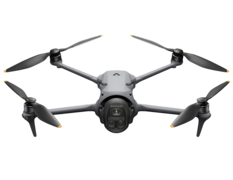
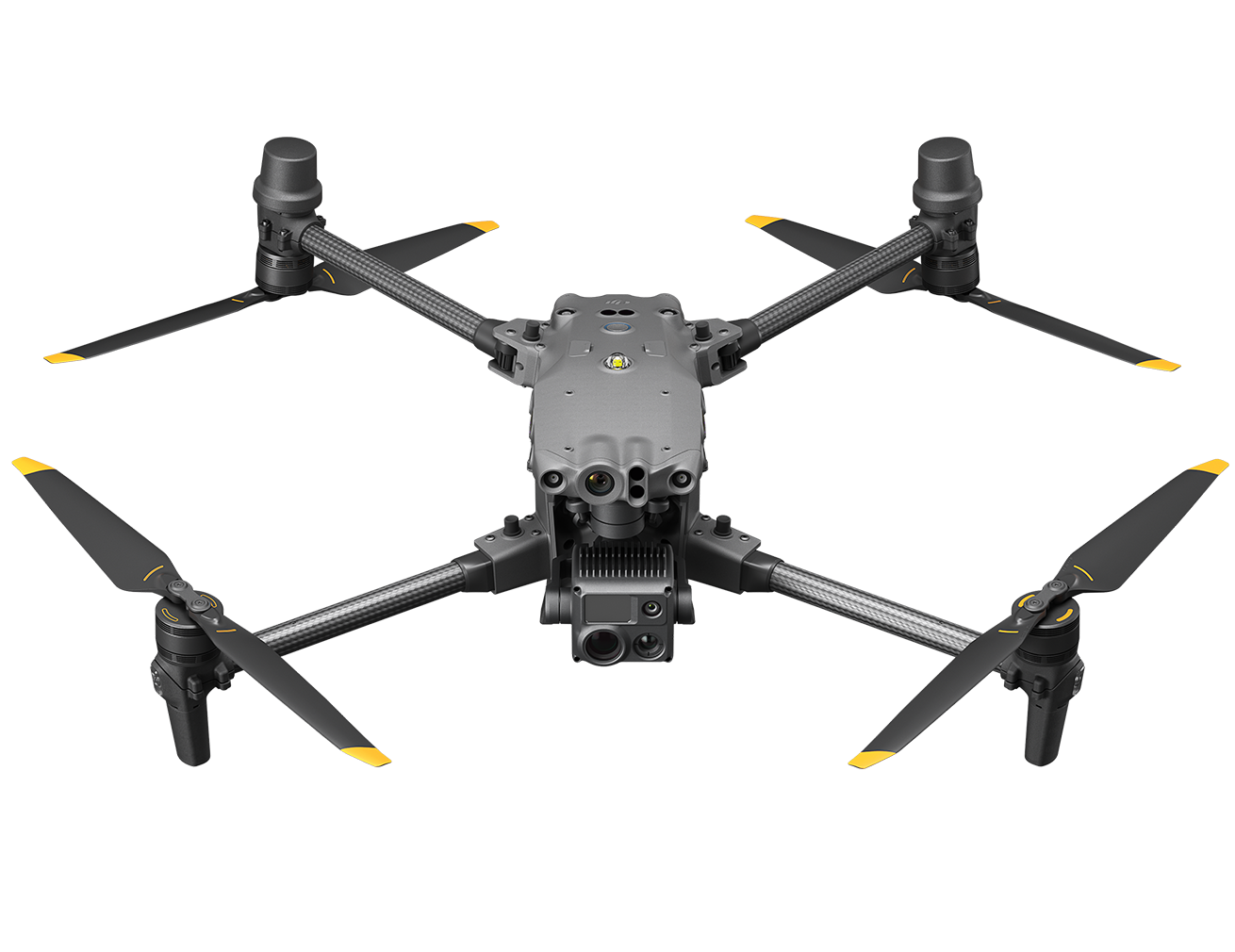
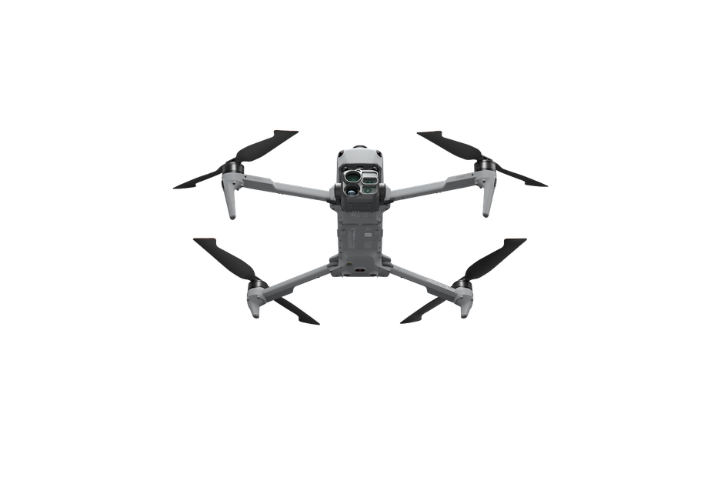
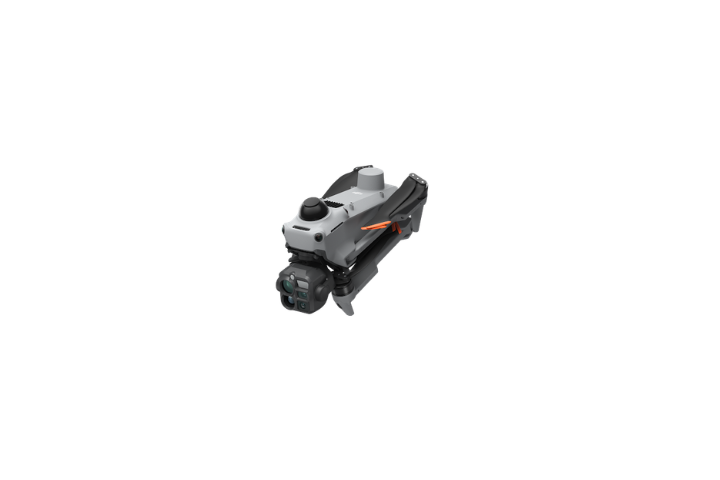
DJI Matrice 5T
Free Care Enterprise Plus
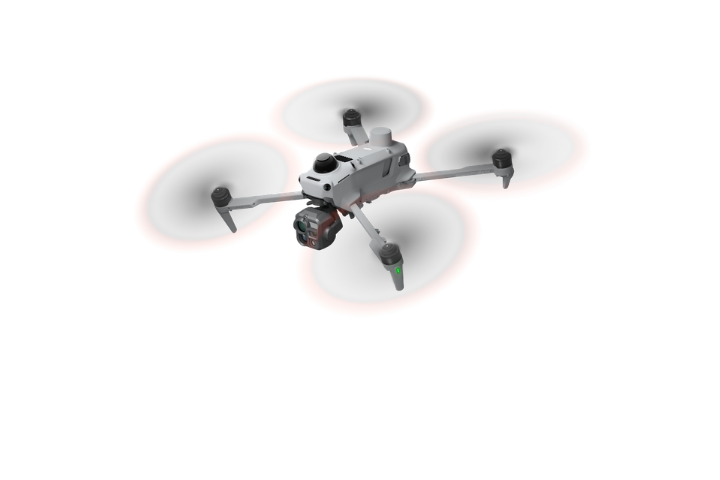
The DJI Matrice 5T is a compact enterprise drone featuring native 1K thermal imaging, enhanced night vision, intelligent AI capabilities and advanced omnidirectional obstacle sensing. With an IP55 rating and up to 59 minutes of flight time
DJI Matrice 5T
Always in Its Element
Highly Versatile Compact Flagship
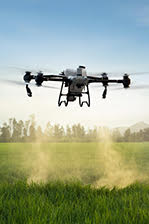
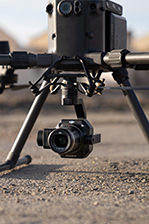
Introducing the DJI Matrice 5T, a next-generation compact enterprise drone designed to deliver outstanding performance across demanding professional applications.
Combining native 1K thermal imaging, enhanced night vision, advanced sensing technologies and intelligent onboard AI, the Matrice 5T provides operators with the tools to work confidently across a wide range of environments.
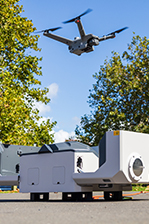
With an IP55 protection rating, up to 59 minutes of flight time and DJI O4 Enterprise transmission, the Matrice 5T is built for emergency response, public safety, infrastructure inspection, surveying and other mission-critical operations.
1K Thermal Imaging, Enhanced Night Vision
Native 1280 × 1024 Thermal Resolution
The DJI Matrice 5T features a high-resolution infrared thermal camera designed to reveal temperature differences and identify heat anomalies with exceptional clarity.
Its native 1280 × 1024 resolution provides four times the pixel count of conventional 640 × 512 thermal sensors, allowing operators to observe greater detail across complex environments.
For enhanced observation, UHR Infrared Image mode enables real-time thermal imagery at up to 2560 × 2048 resolution and 30 fps.
This capability is particularly valuable for infrastructure inspections, emergency response, search and rescue, and industrial monitoring.
Enhanced Night Vision
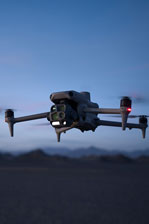
Advanced low-light imaging helps operators maintain situational awareness when visibility is limited.
Whether conducting nighttime inspections, emergency operations or public safety missions, the Matrice 5T provides additional visual information to support informed decision-making.
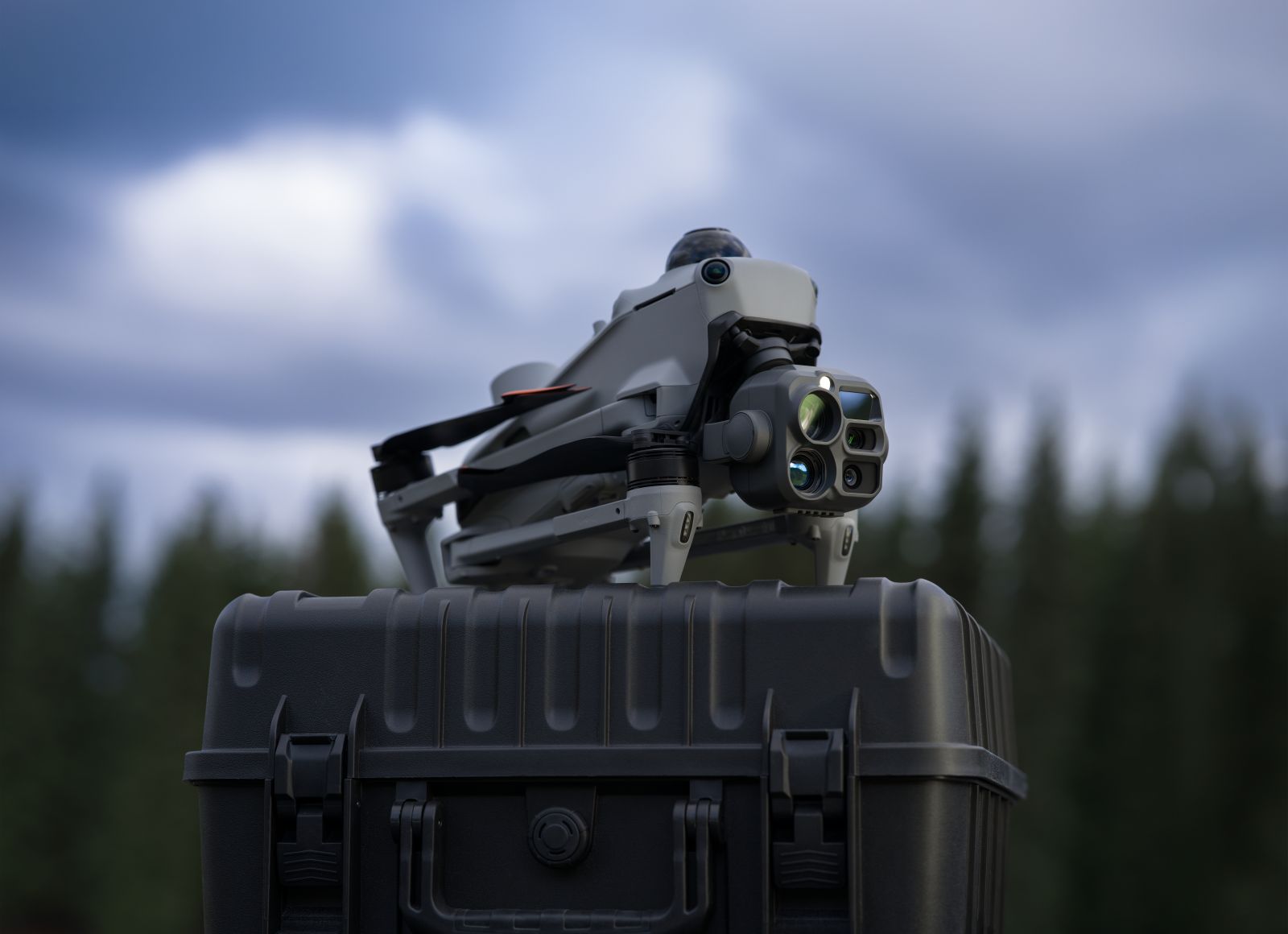
Intelligent Operations with Open Edge AI
Onboard Intelligence for Professional Workflows
The DJI Matrice 5T introduces open edge AI capabilities, enabling intelligent processing directly onboard the aircraft.
This allows developers and enterprise users to explore customised AI applications tailored to specific operational requirements.
Custom DJI Pilot 2 Plugins
Support for DJI Pilot 2 plugins enables organisations to integrate specialised workflows and extend the aircraft's functionality.
From inspection procedures to industry-specific applications, the Matrice 5T provides a flexible platform for professional operations.
Advanced Flight Safety and Environmental Adaptability
Omnidirectional Sensing
The Matrice 5T combines LiDAR, millimetre-wave radar and vision sensing technologies to enhance environmental awareness.
This integrated sensing system supports safer navigation and obstacle detection across demanding operational environments.
IP55 Protection Rating
Engineered for challenging field conditions, the Matrice 5T features an IP55-rated design, providing protection against dust ingress and water jets under specified test conditions.
Its rugged construction makes it suitable for professional operations where environmental resilience is essential.
Extended Flight Performance
Up to 59 Minutes of Flight Time
With a maximum rated flight time of up to 59 minutes, the DJI Matrice 5T allows operators to conduct longer missions and reduce interruptions for battery changes.
This extended endurance is particularly beneficial for large-area inspections, emergency response and surveying operations.
Actual flight time varies depending on environmental conditions, payload configuration and operating requirements.
DJI O4 Enterprise Transmission
The DJI O4 Enterprise transmission system delivers advanced communication capabilities for professional drone operations.
Support for multiple relay modes provides additional flexibility when operating across complex environments or challenging terrain.
High-Accuracy Surveying and Rapid Modelling
The Matrice 5T supports surveying and modelling workflows, allowing professional users to capture aerial information for inspection, documentation and spatial analysis.
Combined with DJI's enterprise software ecosystem, the aircraft provides a versatile platform for organisations seeking to streamline field operations.
Professional Applications
Search and Rescue
Use high-resolution thermal imaging and enhanced night vision to support search operations, identify potential heat signatures and improve situational awareness.
Emergency Response and Public Safety
Capture aerial intelligence to assist incident assessment, emergency coordination and operational planning.
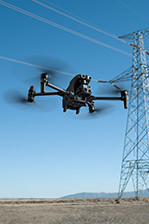
Utilities and Infrastructure Inspection
Inspect electrical infrastructure, industrial assets and other critical facilities using detailed visual and thermal imagery.
Forestry and Environmental Monitoring
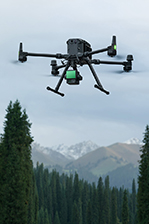
Support environmental assessments, vegetation monitoring and field operations across challenging terrain.
Surveying and Mapping
Capture aerial data for professional surveying, site documentation and rapid modelling applications.
Product Specifications
DJI Matrice 5T Main Features
Native 1K Thermal Imaging: 1280 × 1024 infrared resolution for detailed thermal observation and inspection.
Enhanced Night Vision: Improved visibility for low-light and nighttime operations.
Up to 59-Minute Flight Time: Extended operational endurance under DJI's specified test conditions.
IP55 Protection Rating: Designed for operation in challenging environmental conditions.
Advanced Omnidirectional Sensing: Integrated LiDAR, millimetre-wave radar and vision sensing technologies.
Open Edge AI: Supports intelligent onboard processing and customised applications.
DJI O4 Enterprise Transmission: Advanced connectivity with multiple relay modes.
High-Accuracy Surveying: Supports professional surveying and rapid modelling workflows.
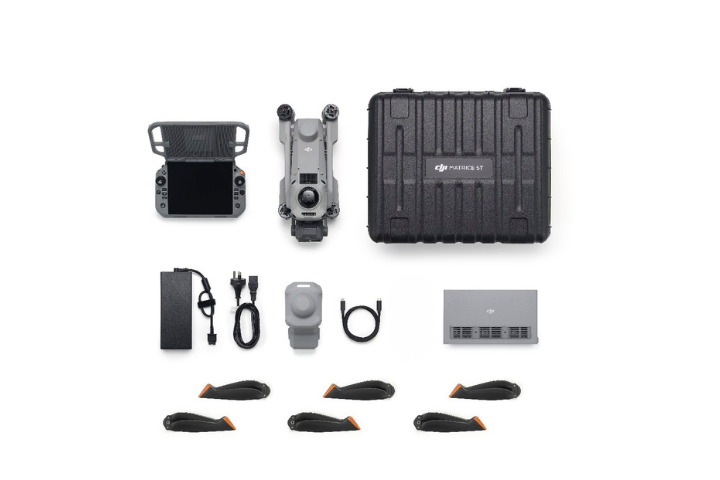
In the box
DJI Matrice 5T Aircraft × 1
DJI RC Plus 3 Enterprise Remote Controller × 1
DJI Matrice 5 Series Charging Hub × 1
DJI 515W Power Adapter × 1
AC Power Cable × 1
USB-C to USB-C Data Cable × 1
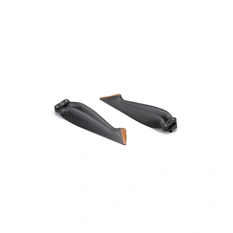
Propeller Pairs × 3
Gimbal Protector × 1
microSD Card × 1 (installed in aircraft)
Carrying Case × 1
Quick Start Guide × 1
Safety Guidelines × 1
WHY BUY FROM US?
By buying from Ferntech, you'll have the confidence that you are dealing directly with New Zealand's leading drone experts. Our staff are knowledgable drone pilots who offer expert advice, trusted support and superior specialist service. Only through us will you receive a full New Zealand warranty, phone and email support, and access to our certified Repairs Centre with DJI-qualified drone technicians. And we guarantee that we will have the best prices on the market — if not let us know and we will match any price (conditions apply).
Warranty Details
Aircraft
What is the ingress protection (IP) rating of DJI Matrice 5T? Can it fly in the rain?
It is IP55 rated*. Do not fly in rain heavier than 100 mm/24 h**.
* Please follow the requirements stated in the IP55 protection rating instructions. This product has been tested under controlled laboratory conditions and achieved an IP55 rating. IPX5 water-resistance test conditions: (1) nozzle internal diameter of 6.3 mm; (2) water flow rate of 12.5 L/min (±5%); (3) water pressure of approximately 30 kPa; (4) distance from the nozzle to the product: 2.5 to 3 m; (5) test duration of at least 1 minute per square meter of surface area, with a total duration of at least 3 minutes; (6) water sprayed onto the enclosure from all directions. IP5X dust-resistance test conditions: (1) dry, non-abrasive fine dust used as the test medium; (2) fineness sufficient to pass through a flat square-mesh sieve with a mesh aperture of 75 μm and a wire diameter of 50 μm; (3) dust concentration of 2 kg per cubic meter of test chamber volume; (4) test duration of 8 hours; (5) test conducted in a sealed dust chamber. The IP rating is not permanently effective and may decrease due to normal wear and tear.
** After operating in the rain, wipe the aircraft dry before storing it to prevent moisture from compromising device performance.
What does the sensing system of DJI Matrice 5T consist of?
6-Directional Fisheye Vision System (4 upward, 2 downward)
Horizontal Rotating LiDAR
Three-Directional mmWave Radar (forward, upward, and downward)
Downward ToF Infrared Sensor
How does the obstacle sensing system of DJI Matrice 5T perform?
Wire-level obstacle sensing capability:
When directly facing a transmission line (21.6 mm steel-core aluminum stranded wire), obstacle sensing is supported at speeds up to 21 m/s.
When directly facing a distribution line (12 mm steel-core aluminum stranded wire), obstacle sensing is supported at speeds up to 15 m/s.
Obstacle sensing performance may vary depending on environmental conditions (such as cloud, fog, rain, or snow), as well as the material, position, and shape of the target object.
Due to the limitations of the safety system, the aircraft cannot actively avoid fast-moving objects; please fly with caution in such environments. Refer to the user manual for more information.
The mmWave radar function may be unavailable or restricted in some countries or regions. Refer to local laws and regulations for more information.
Does the DJI Matrice 5 Series Battery support hot-swapping?
No.
What are the European certification classes for DJI Matrice 5T?
The aircraft holds EASA C2/C6 and UK CAA UK2/UK6 certifications.
To meet EASA C5 or UK CAA UK5 operational requirements, a dedicated C5 (UK5) combo is required.
How do I activate DJI Matrice 5T?
When using DJI RC Plus 3 Enterprise for the first time, connect to the internet via Wi-Fi or a smartphone hotspot, and then follow the instructions on the remote controller to activate the device. After activating DJI RC Plus 3 Enterprise, use the DJI Pilot 2 app to connect the remote controller with the DJI Matrice 5T aircraft, and follow the prompts on the DJI Pilot 2 app interface to activate the aircraft.
Without 4G dongle (SIM card included), how can I use Network RTK services with DJI Matrice 5T?
You can connect to Network RTK via Wi-Fi on the remote controller.
Are Network RTK services of DJI Matrice 5T bound to the remote controller or the aircraft?
Remote controller.
How many payload ports does DJI Matrice 5T have?
It has three external E-Port V3 ports.
Does DJI Matrice 5T come with high-altitude propellers?
No. However, the standard propellers support flights up to 7,000 meters above sea level.
What types of propellers does DJI Matrice 5T support?
DJI Matrice 5 Series Propellers and DJI Matrice 5 Series Anti-Ice Propellers.
What precautions should be taken regarding the aircraft arms of DJI Matrice 5T?
The arms are constructed from lightweight, high-strength carbon fiber. After extended use, slight surface wear may appear at the contact surfaces due to high-frequency operational vibrations. This is normal mechanical wear and does not affect routine use.
What precautions should be taken when using the top-mounted rotating LiDAR on DJI Matrice 5T?
1. Always install the gimbal protector on the rotating LiDAR when it is not in use.
2. If the dome becomes dirty, promptly clean it with the included cleaning cloth to ensure optimal obstacle sensing performance.
Does DJI Matrice 5T support relay functionality? How many aircraft can be relayed at the same time?
Yes, DJI Matrice 5T supports onboard relay and can provide relay functionality for two additional Matrice 5T aircraft at a time.
Avoid operating in areas with strong electromagnetic interference to maintain stable relay performance.
This feature is unavailable in countries or regions without 5GHz frequency support. Refer to local laws and regulations for more information.
Does DJI Matrice 5T support D-RTK 3?
Yes, but it only supports D-RTK 3 configured in Base Station mode.
Does DJI Matrice 5T support 4G Enhanced Transmission?
Yes. The aircraft features dual built-in DJI Cellular Dongle 2 modules.
Are DJI Matrice 5T accessories compatible with the DJI Matrice 4 Series?
No. DJI Matrice 5T accessories are not compatible with the DJI Matrice 4 Series.
Does DJI Matrice 5T support TimeSync 2.0 high-precision synchronization?
Yes. TimeSync 2.0 provides the following capabilities:
1. Outputs precise mid-exposure timestamps, achieving microsecond-level synchronization.
2. Synchronizes system time across the camera, gimbal, flight controller, and onboard RTK module.
3. Features next-generation real-time pose compensation that integrates aircraft and gimbal attitude data to write the precise camera optical center (exit pupil) position into the image metadata.
What precautions should be taken when transporting and storing DJI Matrice 5T?
Always place the aircraft flat and securely inside the designated carrying case. To prevent surface scratches or hardware damage, do not store unrelated objects inside the case or the Charging Hub compartment.
Camera
Does DJI Matrice 5T support simultaneous photo or video capture with both the Wide and Tele cameras?
Yes.
What is the maximum number of photos DJI Matrice 5T can save in a single capture?
Up to four photos, including the Wide, Tele, Thermal, and current Fusion Mode views.
The current Fusion Mode view is only saved when Fusion Mode is enabled.
What is the difference between PIP and Overlay in Fusion Mode?
PIP (Picture-in-Picture) Mode: When enabled, the thermal view is displayed within the visible-light view as an inset window. If the zoom level exceeds the thermal camera's maximum zoom range, the thermal and visible-light views will automatically fuse.
Overlay Mode: When enabled, the thermal view fuses with the visible-light view once the visible-light zoom level reaches 2× or higher.
At what zoom level is monochrome night vision available on DJI Matrice 5T?
Monochrome night vision can be enabled manually when the zoom level reaches 11× or higher.
Does the DJI Matrice 5T camera lens support defogging?
Yes. However, temporary fogging on the lens surface may occur when operating in environments with rapid temperature changes. This is normal and will dissipate shortly.
Why does the image become clearer when zooming to 26× or higher in well-lit environments?
Under good lighting conditions, the Tele camera automatically switches to an 8K mode at zoom levels of 26× or higher, which enhances image clarity.
Boat Launch
When the aircraft is placed on a vessel and the Boat Launch mode is off, I see warnings like sensor error or ship speed too high. What should I do?
Once you enable Boat Launch, these warnings will disappear.
When enabling Dynamic Home Point, a "Failed to Enable" message appears. How do I resolve this?
Turn off Dynamic Home Point and then turn it back on. If the issue continues, fully close the app and reopen it.
After enabling Boat Launch, will the obstacle sensing be turned off?
Yes. When Boat Launch is enabled, the downward obstacle sensing is automatically disabled to allow for automatic takeoff and landing. If you fly over land or other environments, make sure to check the status of downward obstacle sensing to ensure safe operation.
What should I be aware of when using Boat Launch?
1. It is recommended to use the rear of the vessel for takeoff and landing.
Operations are best conducted when ship speed is below 10 knots and wind speed is under 5 m/s; exercise caution in other environments.
2. Reserve a flat, unobstructed area of 3 m × 3 m on the deck for takeoff and landing. Ensure there is clear overhead space. Place the official landing point pattern in the center, making sure its size, color, and shape match DJI's specifications. Do not attach any payloads to the underside of the aircraft.
3. During takeoff and landing, use the remote controller's live video feed together with direct visual observation to quickly notice any changes in the surrounding environment.
4. After the aircraft detects the landing point pattern, the remote controller will have sound and vibration alerts. You can press the C1 button to trigger auto landing.
5. During auto landing, when the aircraft is above the landing point pattern, continue to hold the throttle stick down to ensure a fast descent and reduce the risk of failed landing due to sudden changes in the environment.
6. During auto landing, the aircraft may automatically ascend due to failure in recognizing the landing point pattern, and exit landing mode if it rises above 20 meters. If the landing point pattern is successfully recognized during ascent, it will automatically re-enter landing mode.
After enabling Boat Launch, the Health Management System (HMS) indicates insufficient onboard satellite acquisition and suggests moving to an open area. What should I do?
This is normal. Remain stationary and wait for satellite signals to converge so the aircraft can obtain a stable position fix. This usually takes about 20 to 30 seconds, and may take longer if the signal is weak.
After powering on, an IMU abnormality or large IMU deviation warning persists. What should I do?
Power on the aircraft while holding it in your hands. After startup is complete, place the aircraft back on the vessel. The warning will disappear.
Power Line Inspection
What types of lines are supported by the Power Line Inspection feature?
In windless conditions, the power line inspection feature supports single-, twin-, quad-, hexa-, and octo-bundled conductors, as well as ground wires, with an inclination of less than 40°.
Do I need to enable RTK for the Power Line Inspection feature?
No, RTK is not mandatory. The aircraft can automatically follow the elevation changes (sag) of the power lines while flying laterally, without relying on pre-built 3D models or high-accuracy flight routes.
However, if you need to use the POS data from the photos for defect localization during post-processing, we recommend enabling RTK.
Will the aircraft automatically bypass obstacles during a power line inspection?
No. If the aircraft encounters obstacles (like trees or buildings) close to the lines, it will automatically brake and hover. You must manually fly over the obstacle, capture the missed conductor section, and then resume the inspection task.
Can I perform inter-phase (center phase) conductor inspection?
For flight safety reasons, flying between phases (inter-phase inspection) is not recommended, as DJI Matrice 5T needs to fly in close proximity to the conductors.
Can I adjust the gimbal angle during an inspection?
Yes, you can manually adjust the gimbal pitch during the inspection.
How can I achieve high-quality results during inspections?
We recommend performing inspections on clear, well-lit days. If your photos are blurry or grainy, try reducing the shooting distance, zooming in more, or lowering the flight speed.
Where is the Power Line Inspection feature available?
This feature is available globally.
Will I get better results if I set the camera to 8K mode?
No. The feature does not support 8K mode. 8K offers minimal visual improvements; instead, it consumes additional system resources and increases the time between shots.
Can I save both wide-angle and thermal photos simultaneously?
Currently, this feature only saves photos captured by the zoom camera (visible light).
Remote Controller
What is the purpose of the Antenna Panel on DJI RC Plus 3 Enterprise?
1. The Antenna Panel houses built-in video transmission antennas. Direct the panel toward the aircraft during operation for optimal transmission quality.
2. When the remote controller is activated, unfolding the Antenna Panel automatically powers on the device.
Is DJI RC Plus 3 Enterprise compatible with the Matrice 4 Series, Matrice 4D Series, Mavic 3 Enterprise Series, Matrice 3D Series, or Matrice 350 RTK?
No.
Can third-party USB-C chargers be used to charge DJI RC Plus 3 Enterprise?
Yes. However, it is recommended to use the USB-C port on the DJI 515W Power Adapter, or a third-party USB Power Delivery (PD) charger with a minimum output of 65 W.
Does DJI RC Plus 3 Enterprise support MSDK?
Yes.
What is the function of the HOST port on DJI RC Plus 3 Enterprise?
It is a reserved port for development; it does not support charging.
Battery & Charging Hub
How long does it take to fully charge a DJI Matrice 5 Series Battery?
When using the standard DJI 515W Charging Hub and DJI 515W Power Adapter in a 25° C (77° F) environment:
0% to 100%: approx. 45 minutes
0% to 95%: approx. 40 minutes
10% to 95%: approx. 31 minutes
Charging time may increase at higher or lower temperatures, depending on the ambient temperature and battery status.
Does the DJI Matrice 5 Series Battery support self-heating?
Yes, it supports self-heating at low temperatures.
What precautions should be taken when inserting or removing the battery? How do I confirm the battery is properly installed?
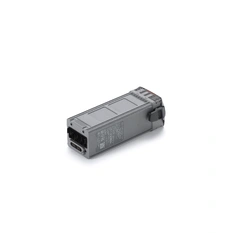
The battery compartment features a dual-stage latch design. When installing the battery into the aircraft, push firmly until it engages the second stage.
To confirm proper installation, ensure the orange marks on the battery are completely hidden from view.
What are the functions of the USB-C port on the side of the DJI Matrice 5 Series Charging Hub?
It supports firmware updates and provides power output to external devices.
What is the maximum charging power of the DJI Matrice 5 Series Charging Hub?
515 W.
What causes the prompt "Battery communication error. Return to home or land promptly" during flight? What should I do?
This is typically caused by the battery not being fully engaged into the second-stage latch before takeoff. Return to home or land immediately, and verify that the battery is securely installed.
Software
How to upgrade the firmware of DJI Matrice 5T?
The following methods can be used to upgrade the firmware:
1. Connect the aircraft to the computer to upgrade the firmware of the aircraft and remote controller through DJI Assistant 2 (Enterprise Series).
2. Use DJI Pilot 2 to update the firmware of the aircraft and the remote controller.
3. Visit the official DJI website to download the offline firmware update package for the aircraft and remote controller. Then, insert the SD card storing the firmware package into the remote controller for offline update.
What apps are supported by DJI Matrice 5T?
DJI Pilot 2 app and other software developed by using MSDK.
Does DJI Matrice 5T support Dual Operator Mode (two remote controllers controlling a single aircraft)?
No.
Does DJI Matrice 5T support integration with DJI FlightHub 2 for remote control of the aircraft and DJI payloads?
Yes. DJI Matrice 5T supports remote control of flights, gimbal cameras, PSDK accessories, and route-related functions through DJI FlightHub 2.
Open Developer Ecosystem
Which kinds of SDK development does DJI Matrice 5T support?
It supports Payload SDK, Mobile SDK, and Cloud API.
For technical support, contact dev@dji.com.
How can I access information and technical support for the DJI Matrice 5T Intelligent Algorithm Developer?
You can visit <a style="color: #1890ff;text-decoration: none; "href="https://developer.dji.com" target=“_blank” >DJI Developer</a> for relevant information or contact dev@dji.com for technical assistance.
Others
Can I use DJI Matrice 5T across countries or regions?
No. Please confirm the applicable countries and regions with your dealer before purchasing.
Does DJI Matrice 5T come standard with DJI Cellular Dongle 2?
DJI Matrice 5T features two built-in DJI Cellular Dongle 2 modules. They act as mutual backups and consume their respective data simultaneously.
Speaker/Spotlight
What functions are supported with the DJI AS2 Speaker?
DJI AS2 Speaker supports recording, media import, text-to-speech functions, real-time broadcasting, and echo cancellation.
It also features a new 5-color strobe light to enhance the efficiency and flexibility of emergency search and rescue operations.
Which aircraft are compatible with the DJI AS2 Speaker?
It is exclusively compatible with DJI Matrice 5T.
What are the installation precautions for DJI AS2 Speaker?
1. After inserting the USB-C connector of the speaker into the corresponding port on the aircraft, press firmly to ensure a secure seal for optimal water resistance.
2. Align the mounting screws with the screw holes on the aircraft, then use the provided tool to tighten them securely.
3. After installation, connect to the internet, activate the speaker and calibrate the aircraft compass according to the app prompts. If a firmware update prompt appears, update to the latest firmware.
What are the usage precautions for the DJI AS2 Speaker?
Pay attention to the following when using the speaker:
1. After installing the speaker, the aircraft's propulsion performance and flight time will be affected. Fly with caution.
2. Use the standard remote controller to play human voices for optimal playback effect. It is not recommended to play single-frequency sounds to avoid irreversible damage to the speaker.
3. DO NOT use the speaker near people or in an urban area where noise-sensitive structures are concentrated, as the loudness could lead to accidents or injuries.
What are the tips for using the real-time broadcasting feature of the DJI AS2 Speaker?
Speak close to the top of the remote controller microphone and maintain a steady pace.
What shortcut operations does the DJI AS2 Speaker support?
It supports shortcuts to start/stop real-time broadcasting. For quick access during operations, you can assign these functions to the customizable buttons on the remote controller under Customize RC Buttons in the DJI Pilot 2 app.
How to upgrade the firmware of the DJI AS2 Speaker?
Install the speaker on the aircraft. When the aircraft firmware is upgraded, the speaker will be upgraded simultaneously. There are three ways to upgrade the firmware:
1. Connect the aircraft to the computer and use DJI Assistant 2 (Enterprise Series) to upgrade.
2. Click on the firmware upgrade in the main interface of the app to upgrade directly.
3. When the app prompts for a consistency upgrade, click Upgrade.
What functions are supported with the DJI AL2 SpotLight?
1. It features Lighting and Strobe modes. The Lighting mode includes Flood, Spotlight, and All sub-modes; the Strobe mode includes Slow Flash, Fast Flash, and Alternating sub-modes.
2. It supports enabling and disabling the Follow Gimbal Orientation function.
Which aircraft are compatible with the DJI AL2 SpotLight?
It is exclusively compatible with DJI Matrice 5T.
What are the installation precautions for the DJI AL2 SpotLight?
1. Before installation, unfold the spotlight arms on both sides.
2. After inserting the USB-C connector of the spotlight into the corresponding port on the aircraft, press firmly to ensure a secure seal for optimal water resistance.
3. Align the mounting screws with the screw holes on the aircraft, then use the provided tool to tighten them securely.
4. After installing the spotlight, connect to the internet and activate the spotlight according to the app prompts. If a firmware update prompt appears, update to the latest firmware.
What are the usage precautions for the DJI AL2 SpotLight?
Pay attention to the following when using the spotlight:
1. Before powering on, ensure the spotlight lens faces upward. If it faces downward, the spotlight gimbal will hit the ground during its self-check, fail to complete the process, and enter a protective state. The self-check will automatically complete after takeoff.
2. Installing the spotlight will affect the aircraft's propulsion performance and flight time. Fly with caution.
3. When the spotlight is turned on, the vision system may be affected. Fly with caution.
4. DO NOT point the spotlight directly at people's eyes to avoid causing eye damage.
5. The spotlight may become hot after prolonged operation. Please be careful to avoid burns.
What are the usage tips for the DJI AL2 SpotLight?
1. When using the spotlight at higher flight altitudes, atmospheric moisture and suspended particles may wash out the image. Enable the electronic defogging function to achieve better image quality.
2. It is recommended to appropriately reduce the brightness of the spotlight and turn it on as needed to minimize the impact on the aircraft's flight time.
Does the DJI AL2 SpotLight support disabling the Follow Gimbal Orientation function?
Yes. In the spotlight settings, you can choose to disable the Follow Gimbal Orientation.
Please note that once disabled, the spotlight will maintain its current angle; when re-enabled, the spotlight will automatically adjust to align with the gimbal's orientation. This function is enabled by default upon aircraft restart.
What shortcut operations does the DJI AL2 SpotLight support?
It supports shortcuts to turn on/off the spotlight and trigger strobe. For quick access during operations, you can assign these functions to the customizable buttons on the remote controller under Customize RC Buttons in the DJI Pilot 2 app.
How do I upgrade the firmware of the DJI AL2 SpotLight?
Install the spotlight on the aircraft. When the aircraft firmware is upgraded, the spotlight will be upgraded simultaneously. There are three ways to upgrade the firmware:
1. Connect the aircraft to the computer and use DJI Assistant 2 (Enterprise Series) to upgrade.
2. Click on the firmware upgrade in the main interface of the app to upgrade directly.
3. When the app prompts for a consistency upgrade, click Upgrade.
Is there a specific installation order when mounting both the DJI AL2 SpotLight and the DJI AS2 Speaker?
Yes. You must install the spotlight first, followed by the speaker.
What are the transportation and storage precautions for the DJI AL2 SpotLight and the DJI AS2 Speaker?
1. The product may be damaged or malfunction due to external impacts. Please handle with care during use and avoid dropping it.
2. When storing the spotlight, ensure the lens faces inward toward the aircraft body to prevent scratches.
3. The aircraft can be directly stored in the carrying case with the spotlight installed.
Source: DJI Enterprise Matrice 5T official FAQs. Check region-specific features and operational restrictions before use.
There's currently no reviews for this product, be the first to write one.