


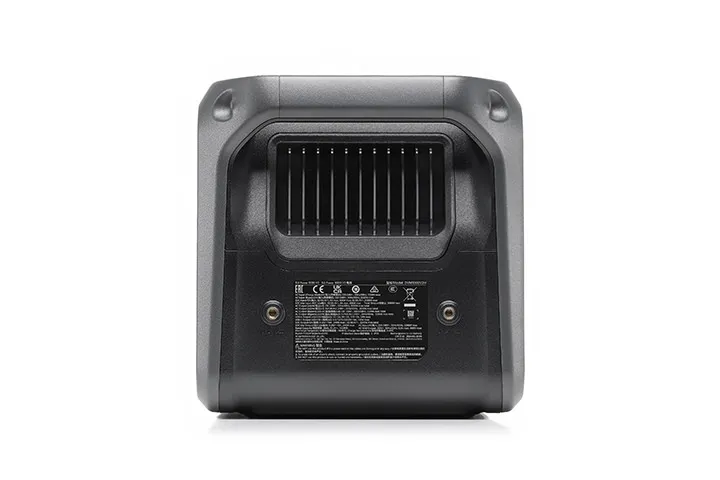
DJI Power 1000 V2 (NZ)
Or 4 interest-free payments of $424.75 with 
DJI Power 1000 V2 offers a 1024Wh battery capacity and supports a continuous 2600W output until the battery runs out, reliably running over 99 percent of everyday devices.
1024Wh Portable Power Station
Genuine Ultra-High-Capacity Power Output
DJI Power 1000 V2 offers a 1024Wh battery capacity and supports a continuous 2600W output until the battery runs out[1], reliably running over 99 percent [9] of everyday devices. It also supports DJI drone battery [25] fast charging[4], improving content creation efficiency. In home backup and emergency scenarios, it can connect up to five 2048Wh expansion batteries [10][11], boosting the capacity to an incredible 11,264 Wh and offering solid backup power for household electricity needs.
DJI Drone Super Fast Charging
When used with compatible accessories, DJI Power 1000 V2 enables SDC Super Fast Charging [4] for select DJI drone batteries [25], enabling takeoff in as little as half an hour. With three drone batteries, you can fly and film continuously throughout the day.
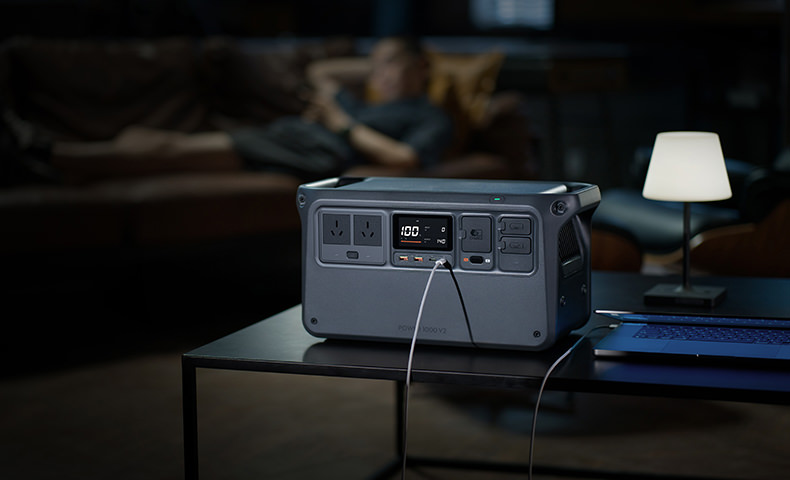
1024Wh Capacity Charging Ability
| Camping and Road Trips | Content Creation | DIY | Home Backup Battery |
|---|---|---|---|
| Mobile Phone Approx. 57 times |
Digital Camera Approx. 59 times |
Electric Jack Hammer Approx. 1.2 hours |
Wi-Fi Router Approx. 76.8 hours |
| Camping Light Approx. 32 times |
Laptop Approx. 9 times |
Electric Chainsaw Approx. 29 mins |
Refrigerator Approx. 20 hours |
| Coffee Machine Approx. 55 mins |
Drone Approx. 12 times |
Power Saw Approx. 40 mins |
Lamp Approx. 92 hours |
| Projector Approx. 9.2 hours |
Photography Lighting Equipment Approx. 1.2 hours |
/ | Rice Cooker Approx. 1.2 hours |
| Car Refrigerator Approx. 19 hours |
Speaker Approx. 64 times |
/ | Juicer Approx. 3.6 hours |
| Electric Fan Approx. 9 hours |
/ | / | Microwave Oven Approx. 1.3 hours |
* Measured under 25° C (77° F) laboratory conditions, using DJI Power 1000 V2 to charge products of certain brands. The data is for reference only. Actual user experience may vary.
Fast and Flexible Recharging
DJI Power 1000 V2 can be recharged via grid power, solar power, and car power. Whether indoors or on the go, you can choose the best charging method, ensuring a reliable power supply and greater convenience.
Grid Power
It's fast and easy to plug in, recharge, and go. When connected to grid power, it takes only 37 minutes to go from zero to 80 percent [7] and 56 minutes to full. Even if you start charging it right before heading out, it gives you the confidence to set off whenever you need.
Solar Power
Economical and environmentally friendly, DJI Power 1000 V2 can be recharged via the DJI Power Solar Panel Adapter Module (MPPT) [12], or the DJI Power 1.8kW Solar/Car Super Fast Charger [4] with up to 1800W [13] solar input, taking only 40 minutes to charge from zero to full[14].
Car Power
Easily supercharge any road trip with the DJI Power 1kW Super Fast Car Charger [11] or the 1.8kW Solar/Car Super Fast Charger[11]. These chargers utilize the excess electricity from your car's alternator to quickly recharge the DJI Power 1000 V2, suitable for regular cars and RVs[24]. With expansion batteries, it takes just 78 minutes [15] to charge the power station from zero to full.
Upgraded Safety Design [5]
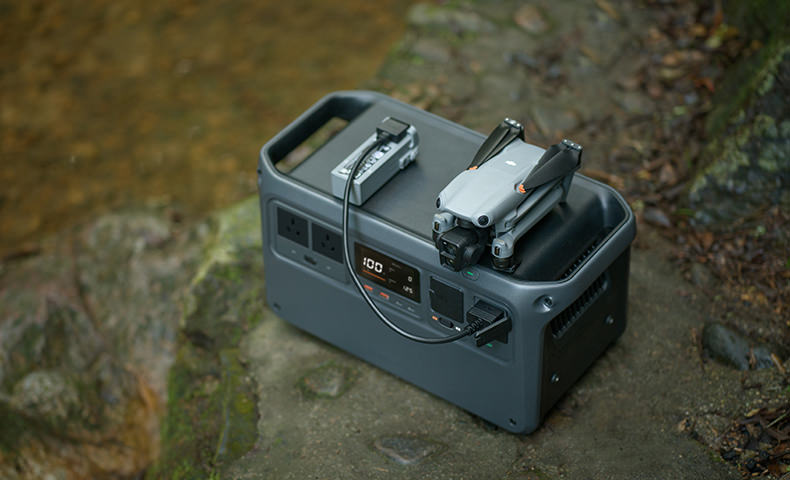
Safety is a top priority for DJI Power 1000 V2, with careful attention paid to each detail ranging from its body structure and cell chemistry to the system software.
For the battery cell, we've chosen LFP (Lithium Iron Phosphate). It's safe and won't explode even if punctured. It boasts a long lifespan, retaining 80 percent capacity after 4000 cycles[16]. [16] With one full charge cycle per day, it can serve for ten years[6]. [6]
The BMS intelligent battery management system provides comprehensive protection. With 19 temperature sensors constantly monitoring heat dissipation, the device operates normally even at high temperatures up to 45° C (113°F° F)[20]. Additionally, 25 fuses provide circuit protection for each module. If the safety threshold for electricity usage is surpassed, the protective mechanism for power supply and recharging activates automatically, leaving no room for accidents.
The BMS system uses a new potting process to protect the inverter, ensuring safe operation in rain, condensation, and salt spray conditions [17]. This makes it ideal for worry-free use while camping by the sea or driving in high-altitude areas.
The power station is made of flame-retardant materials, ensuring that drops and impacts do not cause open flames. [19] It also has a static pressure bearing capacity of up to 11 ton [20], making it exceptionally reliable.
DJI Power 1000 V2 has aced all tests and secured certification from the Japan Fire and Disaster Prevention Association. It's a game-changer in disaster preparedness boosting safety, functionality, and convenience, providing reliable protection for peace of mind.
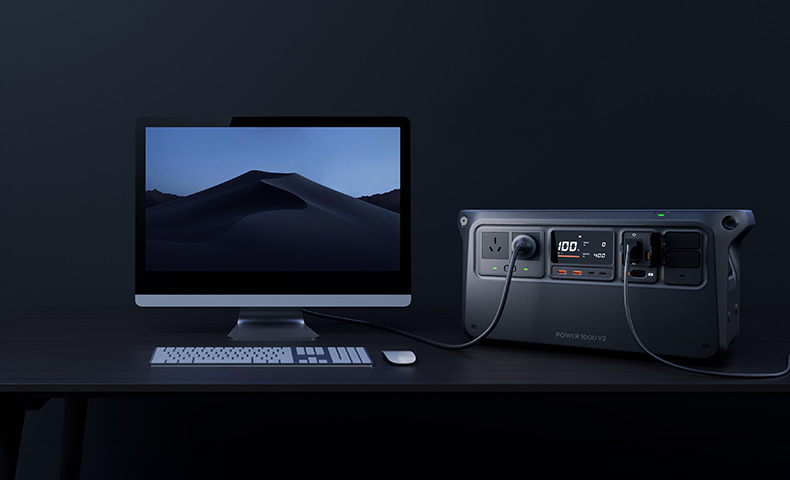
UPS Mode: Seamless Power Backup
When an electrical device is connected to a powered-on DJI Power 1000 V2 via an AC output port and both are receiving grid power, the Power 1000 V2 defaults to UPS (Uninterruptible Power Supply) mode. In the event of a sudden power outage, DJI Power 1000 V2 can start powering the connected device(s) within 0.01 seconds[20], ensuring continuous operation and providing you with peace of mind.
Sleep Undisturbed With Ultra-Quiet Performance
When charging, the DJI Power 1000 V2 operates as quietly as 26 dB[3], [3] making it virtually unnoticeable even in quiet environments. Whether you're camping overnight or resting indoors, it runs quieter than the wind and no louder than a silent air conditioner.
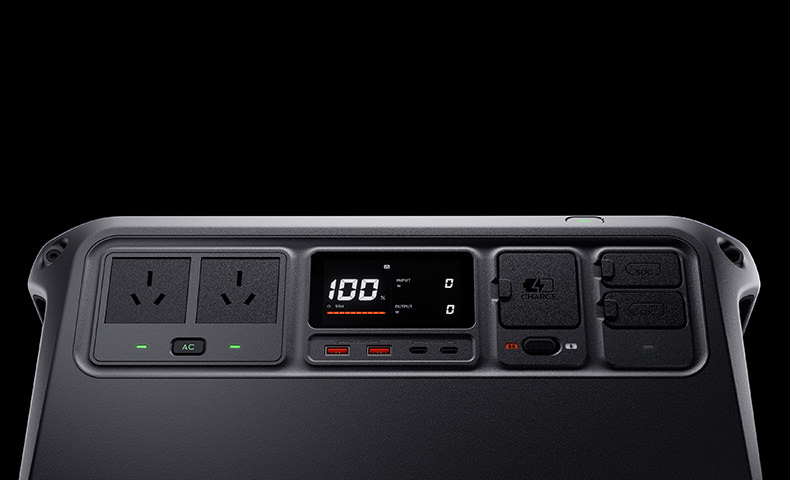
Versatile Ports for Diverse Scenarios
Dual 140W USB-C Ports for Next-Gen Fast Charging
DJI Power 1000 V2 features dual 140W USB-C output ports[2], delivering a combined 280 W, which is 40 percent more than typical dual 100W USB-C setups on the market. It easily meets the demands of most USB-C devices and supports up to PD 3.1 140W fast charging for high-performance laptops.
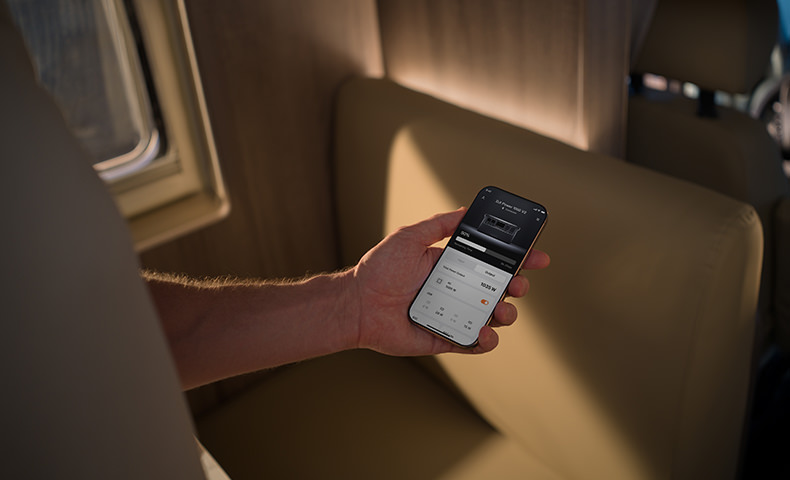
Remote Control via App
DJI Power 1000 V2 can be directly connected to the new DJI Home app. The interface is simple and user-friendly, allowing you to remotely switch AC output on or off, adjust parameters, and monitor the power status in real-time. In addition to the power station itself, you can also view and adjust the parameters of the expansion battery and the 1kW and 1.8 kW Super Fast Chargers. No matter where you are, you can easily manage DJI Power devices for a smarter, more efficient experience.
Notes
* The appearance of products sold in different countries and regions may vary. Refer to the actual item.
- Under standard indoor conditions of 25°C, Power 1000 V2 can deliver a continuous output of 2600 W until fully discharged. Data was tested in a controlled laboratory environment.
- The USB-C port supports a max output power of 140 W. The device being charged must support the PD 3.1 protocol and use a USB cable that meets EPR specifications.
- Measured at a distance of 100 cm from the Power 1000 V2 while charging in Standard Recharge Mode. For reference only.
- Requires certain accessories, which are sold separately.
- Compared with DJI Power 1000.
- Based on the correct usage of the product, DJI Power 1000 V2 will have an approximate lifespan of 10 years, calculated on the basis of completing one full recharge/discharge cycle nearly every day. This data is for reference only. Actual user experience may vary.
- Data tested under laboratory conditions at 25° C (77° F) and should be used for reference only. To achieve the maximum grid recharging power of 1440 W, the battery level must be at least 60%, and the ambient temperature should be between 20° C and 35° C (68° F and to 95° F).
- DJI Power 1000 V2 units purchased from the DJI Store will have a three-year warranty, which can be extended by an additional two years after first connecting to the DJI Home app. Consult customer service on DJI Store for more details.
- Device power does not exceed 2600 W.
- DJI Power 1000 V2 can connect up to five expansion batteries, which provide up to 11,264 Wh when fully charged.
- Sold separately.
- Each Solar Panel Adapter Module (MPPT) can connect one to three solar panels. Power 1000 V2 supports up to two adapter modules simultaneously, allowing connection of up to six panels. It can also connect to one panel via the DJI Power Car Power Outlet to SDC Power Cable.
- DJI Power 1.8kW Solar/Car Super Fast Charger's MC4 Solar Panel Cable supports up to 1200W solar input. In the meantime, its XT90 Car/Solar Charging Port can be expanded to an MC4 connector port using the separately sold DJI Power 1.8kW Super Fast Charger XT90 to MC4 Adapter Cable, providing an additional 600W solar input. To achieve the maximum 1800W solar input for Power 1000 V2, it must be used with DJI Power Expansion Battery 2000, the 2048Wh Expansion Battery.
- Measured under 25° C (77° F) laboratory conditions. For reference only.
- Measured at an ambient temperature of 25° C (77° F) when the 1kW Super Fast Car Charger connects to a 12V or 24V car system and recharges DJI Power 1000 V2 at a maximum power of 1000 W via the vehicle's alternator.
- Measured under 25° C (77° F) laboratory conditions using Standard Recharge Mode at 1000W output.
- To ensure product performance, do not operate in rainy environments for more than 3 minutes, in condensation for more than 30 minutes, or in salt fog for more than 8 hours. Avoid prolonged exposure to condensation or salt fog.
- Supports use at altitudes up to 5000 m. Supports use in environments as low as -10° C (14° F). Data was tested in a controlled laboratory environment.
- The power station can continue to function normally after being held with both hands and dropped from a height of 50 cm onto dry mud.
- Data was tested in a controlled laboratory environment.
- At ambient temperatures between 0° C and 45° C (32° F and to 113° F), the 1kW Super Fast Car Charger can recharge DJI Power 1000 V2 at a maximum power of 1000 W via the car's alternator. Data was tested in a controlled laboratory environment.
- Both the DJI Power 1.8kW and 1kW Super Fast Chargers can stabilize battery voltage at 13.5 V. Depending on the voltage status, they can either recharge Power 1000 V2 (when the voltage is above 13.5 V) or supply power from Power 1000 V2 to the battery (when the voltage is below 13.5 V). Hybrid and fully electric vehicles are currently not compatible with DJI Power 1.8kW Solar/Car Super Fast Charger or DJI Power 1kW Super Fast Car Charger, due to differences in generator operation compared to traditional fuel-powered vehicles.
- Measured at an ambient temperature of 25° C (77° F) when the 1.8kW Super Fast Charger connects to a 12V or 24V car system, providing up to 1200W solar power and 600W car power simultaneously to recharge Power 1000 V2 and the expansion battery. This data is for reference only. Data was tested in a controlled laboratory environment.
- In different countries or regions, a compatible power adapter cable needs to be purchased separately.
- For more details on fast-charge-supported DJI drones, refer to the FAQ page.
Product Specifications
General
Model: DYM1000V2L
DYM1000V2H
Cell Chemistry: LFP (lithium ferrophosphate)
Capacity: 1024 Wh
Cycle Life: Maintains over 80% capacity after 4000 cycles.
One cycle is defined as a complete charge and discharge. Tested in a 25°C (77°F) laboratory environment, with DJI Power 1000 V2 recharged in Standard Mode and discharged at 1000W output power to external devices.
Net Weight: Approx. 14.2 kg
Dimensions: 448×225×230 mm (L×W×H)
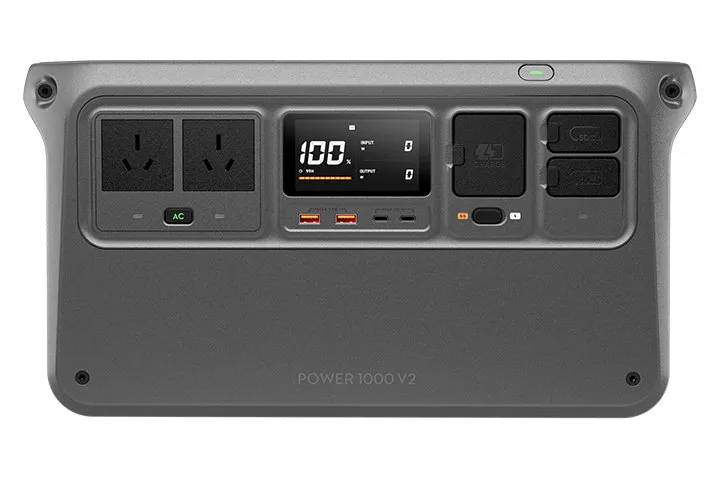
Number of Ports: AC Output × 4 (For regions using CN, US, and JP standards)*
AC Output × 2 (For other countries and regions)*
USB-C × 2
USB-A × 2
SDC × 1
SDC Lite × 1
AC Input × 1
* Models for regions using CN, US, and JP standards feature four AC output ports. Due to differing port sizes, models for other regions include only two.
Max Operating Altitude: 5000 m
Output Specifications
AC Output: DYM1000V2L: AC 100-120 V, 50/60 Hz, max current: 20 A
DYM1000V2H: AC 220-240 V, 50/60 Hz, max current: 10.9 A
AC output data varies by country and region.
AC Output (Bypass Mode): DYM1000V2L: AC 100-120 V, max current: 12 A
DYM1000V2H: AC 220-240 V, max current: 10 A
USB-A Output: 5 V, 3 A
9 V, 2 A
12 V, 2 A
Max output power per channel: 24 W
USB-C Output: 5 V, 5 A
9 V, 5 A
12 V, 5 A
15 V, 5 A
20 V, 5 A
28 V, 5 A (EPR)
Max output power per channel: 140 W*
* The USB-C port supports a max output power of 140 W. The device being charged must support the PD 3.1 protocol and use a USB cable that meets EPR specifications.
SDC Output: SDC: 9-28 V or 32-58.4 V, max current: 42 A (for DJI drone fast charging and more)
SDC Lite: 9-27 V, max current: 10 A
Both SDC and SDC Lite ports support extensive accessory expansion.
Input Specifications
AC Input: DYM1000V2L:
AC 100-120 V, 50/60 Hz, max current: 13 A
AC 100-120 V, 50/60 Hz, max current: 13 A (Bypass mode)
DYM1000V2H:
AC 220-240 V, 50/60 Hz, max current: 6.5 A
AC 220-240 V, 50/60 Hz, max current: 10 A (Bypass mode)
SDC Input: SDC: DC 32-58.4 V, max current: 60 A
SDC Lite: DC 32-58.4 V, max current: 8 A
Both SDC and SDC Lite ports support extensive accessory expansion.
Operating Temperature
Power Supply Temperature: -10° to 45° C (14° to 113° F)
Recharging Temperature: 0° to 45° C (32° to 113° F)
Storage Temperature: -10° to 45° C (14° to 113° F)
Transmitter Power (EIRP): Wi-Fi (802.11 b/g/n): 2.4000-2.4835 GHz: < 20 dBm (FCC/CE/SRRC/MIC)
Bluetooth 5.0: 2.4000-2.4835 GHz: < 7 dBm
The supported operating frequency bands and their corresponding availability vary by country/region. For details, please refer to local laws and regulations.
In the box
DJI Power 1000 V2 × 1
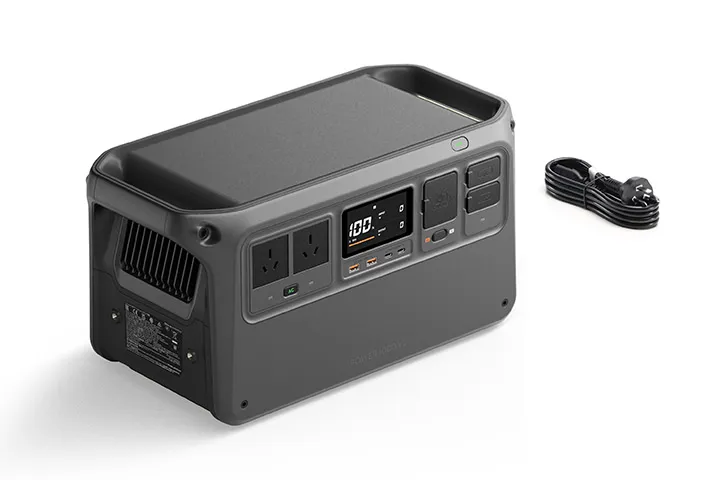
DJI Power AC Power Cable × 1
Documents × 1
WHY BUY FROM US?
By buying from Ferntech, you'll have the confidence that you are dealing directly with New Zealand's leading drone experts. Our staff are knowledgable drone pilots who offer expert advice, trusted support and superior specialist service. Only through us will you receive a full New Zealand warranty, phone and email support, and access to our certified Repairs Centre with DJI-qualified drone technicians. And we guarantee that we will have the best prices on the market — if not let us know and we will match any price (conditions apply).
Warranty Details
5 year warranty*
*DJI Power Station comes with 3 years warranty, and can be extended to 5 years warranty once customers register DJI Power Station SN on DJI service webpage.
General
What is the UPS mode of DJI Power 1000 V2? How do I use it?
UPS, short for Uninterruptible Power Supply, is mainly used to supply power to devices through DJI Power 1000 V2 when there is a power outage and prevent accidents that might otherwise be caused.
When electrical devices are connected to the powered-on DJI Power 1000 V2 and both are receiving grid power, press the AC button on the power station and ensure that the AC output indicator shows solid light, then DJI Power 1000 V2 defaults to UPS mode. DJI Power 1000 V2 can start powering the connected devices within 0.01 seconds*. You can decide whether to use this mode based on the device(s) you are using.
* Data was tested in a controlled laboratory environment.
How do I update the firmware of DJI Power 1000 V2?
You can update the firmware through DJI Home app and DJI Assistant 2.
DJI Home app:
After connecting the DJI Power 1000 V2 to the app and configuring the Wi-Fi network, go to Settings > Firmware Update to upgrade to the latest firmware version.
DJI Assistant 2:
Refer to the Firmware Update section in the user manual. Before the update, install DJI Assistant 2 (Power Series) on your computer.
The user manual and DJI Assistant 2 download links are available at: https://www.dji.com/power-1000-v2/downloads
What is the warranty period of DJI Power 1000 V2?
The default warranty period is three years. You can get an additional two-year warranty period by downloading the DJI Home app, and completing the first connection.
How should I maintain DJI Power 1000 V2 and optimize its life span?
DO NOT store the power station for an extended period after fully discharging. Otherwise, the battery may over-discharge and cause irreparable damage to the battery cell.
For long-term storage, please recharge the product to 100% and then discharge it to approximately 60%. Storing with high battery level for a long duration can cause the battery to age more quickly, while storing with low battery levels can cause over-discharge.
Then, recharge and discharge it once roughly every four months: First, discharge the power station to 15%, power off, and wait for two hours or longer. Then, recharge it to 100% using the Standard Recharge Mode in order to maintain the power station.
What should I do if an error code appears on the power station?
If an error code appears on the power station display, you can connect to the DJI Home app to check the specific issue and solution, or visit the DJI Power Series Product Support for more details.
In which countries is the grid-tied energy storage feature supported?
Currently, the grid-tied energy storage feature is only available in Germany. We will provide updates as it becomes available in other countries.
What should I be aware of when using the grid-tied energy storage feature for the first time?
For first-time use, please follow the initialization steps in the app. When connecting the AC charging cable, ensure the input port is secured with screws as required by local regulations.
Which smart meters are compatible with the grid-tied energy storage feature?
The grid-tied energy storage feature currently supports Shelly Pro 3EM and Shelly Pro EM-50 smart meters.
Can the AC output port be used at the same time as the grid-tied energy storage feature?
Yes, the AC output port can be used simultaneously. It can also function as a UPS, providing uninterrupted power to other devices.
Recharging
What recharging methods does DJI Power 1000 V2 support?
AC power:
Recharging with grid power through the AC input port.
DC power:
1. Recharging with car power from the car's alternator using the DJI Power 1kW Super Fast Car Charger;
2. Recharging with solar power and/or car power from the car's alternator using the DJI Power 1.8kW Solar/Car Super Fast Charger ;
3. Recharging with solar power via the DJI Power Solar Panel Adapter Module (MPPT) and solar panels.
Power Supply
How do I enable AC power output? How many modes are there?
After turning on the power, you can press the AC button to enable AC output, or you can enable it remotely in the DJI Home app.
If you press the AC button once, its indicator will blink slowly. AC output will automatically shut down to save electricity if the power station is not charging any device via the AC output ports within half an hour.
If you press and hold the AC button, its indicator will show solid light, and AC output will not automatically shut down.
How can I change the frequency of AC power output?
You can do either of the following:
1. When being recharged with AC input power at different frequencies, the power station will automatically switch to the same frequency as the input power.
2. To manually switch, press and hold the AC button for 10 seconds until the frequency changes on the screen.
How can I achieve the maximum output power when supplying power through the USB-C port?
The USB-C port supports a maximum output of 140 W. The connected device must support the PD 3.1 protocol and be used with a USB cable that complies with the USB EPR.
Taking a 16-inch MacBook Pro as an example, if you use a regular USB-C charging cable, the maximum power transmission is only 100 W. It can only reach 140 W when using the standard magnetic cable.
What considerations should be taken when using the power station in low-temperature environments?
The power supply capability will be affected in low-temperature environments, and the output power will decrease.
How long does it take for DJI Power 1000 V2 to turn off if it is not supplying power?
You can set the auto-off time in the DJI Home app. If there is no continuous output, it will automatically turn off after 30 minutes by default.
Accessories
What functions are supported with SDC ports? What are the differences between the SDC port and the SDC Lite port?
The SDC port is capable of the following functions:
Recharging:
1. Recharge the power station with up to 1000W car power using the DJI Power 1kW Super Fast Car Charger.
2. Recharge the power station with up to 1800W solar power or up to 1200W solar power plus 600W car power using the DJI Power 1.8kW Solar/Car Super Fast Charger.
3. Recharge the power station with up to 400W solar power using the DJI Power Solar Panel Adapter Module (MPPT).
4. Recharge the power station with a car's power outlet via the DJI Power Car Power Outlet to SDC Power Cable (12V/24V).
Capacity expansion:
Expand capacity with DJI Power Expansion Battery 2000, connecting up to five expansion batteries to expand up to 11,264 Wh.
Power supply:
Quickly charge intelligent flight batteries of the DJI Matrice 4 Series, Mavic 3 Series, Air 3 Series, Matrice 30 Series, and Inspire 3 using the corresponding fast charge cable.
Supplying power to car-powered appliances via the DJI Power SDC to Car Charger Plug Power Cable.
Charging model aircraft batteries outdoors by connecting to the balance charger (model aircraft battery balance charger) via the DJI Power SDC to XT60 Power Cable (12V).
The SDC Lite port is designed for low power applications and does not support the expansion battery, DJI Power 1.8kW Solar/Car Super Fast Charger or DJI Power 1kW Super Fast Car Charger.
Does the DJI Power 1000 V2 support DJI Power Dongle?
No, it does not. The DJI Power 1000 V2 has a built-in wireless module and can connect directly to Wi-Fi and the DJI Home app.
What should be noted when using the DJI Power SDC fast charging function for DJI drones?
After the flight, wait until the drone battery has cooled down before connecting it to the corresponding DJI Power SDC fast charging cable; otherwise, charging speed may be affected.
Since the final 5% of charging a drone battery (from 95% to 100%) is completed via trickle charging, the charging speed is relatively slower. You can consider using the battery after it is charged to 95%, as the operating time will not be significantly less than it is when fully charged.
There's currently no reviews for this product, be the first to write one.