

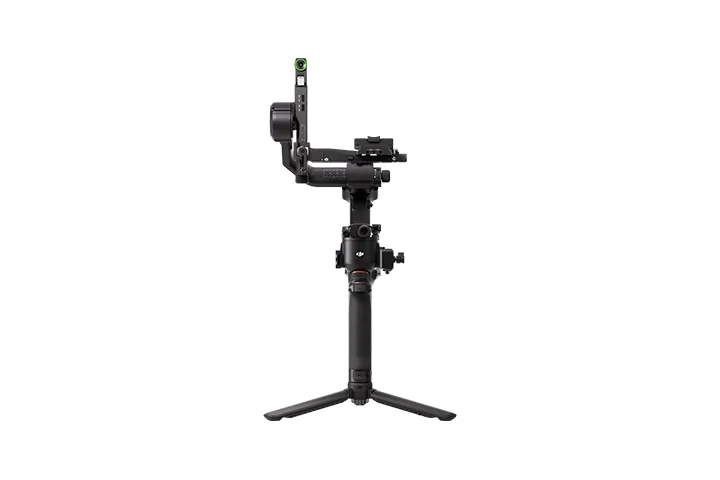
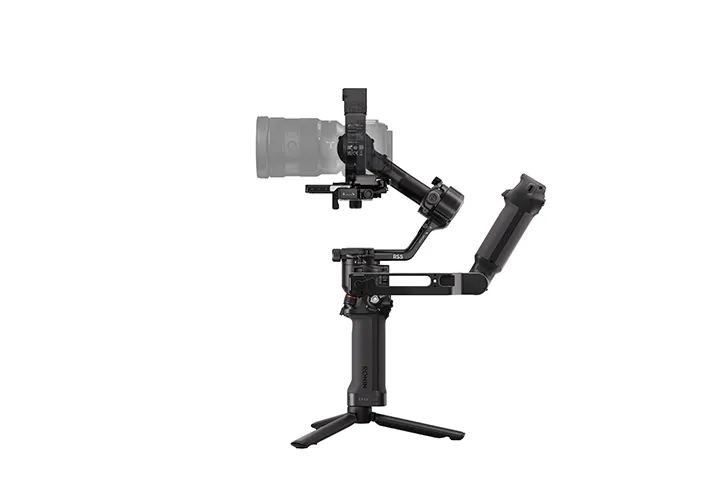
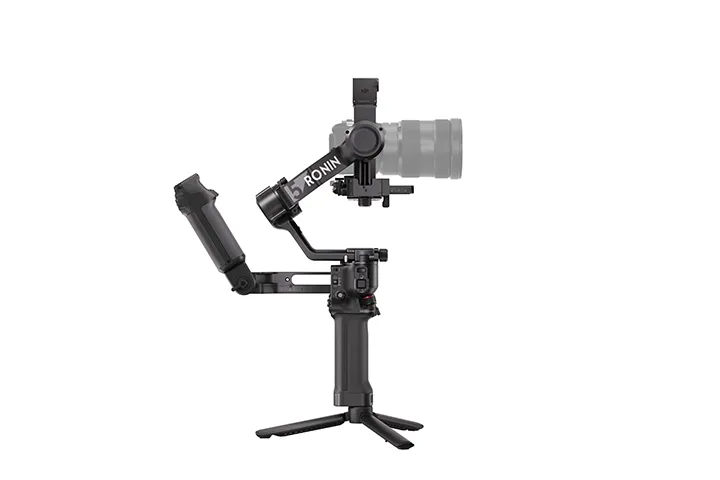
DJI RS 5 Combo
Or 4 interest-free payments of $274.75 with 
DJI RS 5 features a 3kg payload , 2nd-Gen Automated Axis Locks , and the new RS Enhanced Intelligent Tracking Module. Enjoy smooth balancing with Teflon™ arms and a full charge in just one hour.
DJI RS 5 features touchscreen subject selection with the new tracking module [1], smooth balancing from fine-tuning knobs, and direct control via the new briefcase handle [2]—all backed by faster charging and extended battery life [3].
Enhanced Intelligent Tracking and Composition [1]
Briefcase Handle With Gimbal & Camera Control [2]
1-Hour Full Charge, 15% Extended Runtime [3]
Fine-Tuning Knobs and Teflon™ Enhanced Balancing
New Z-Axis Indicator
2nd-Gen Automated Axis Locks
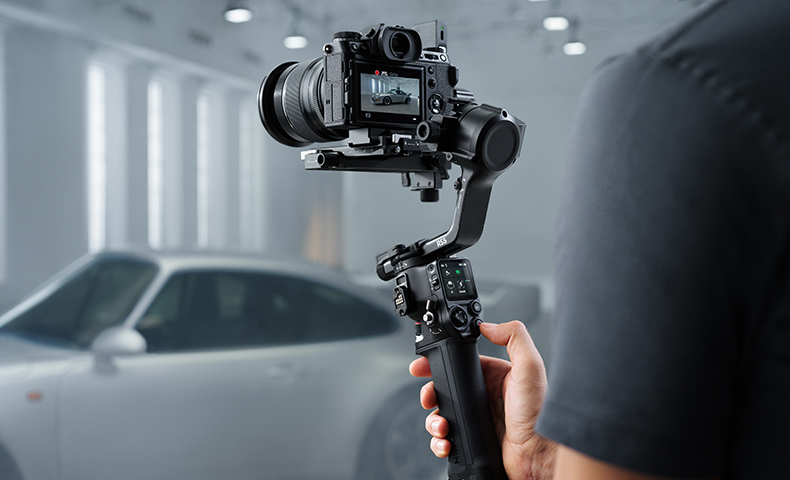
Intelligence Meets Stability
RS Enhanced Intelligent Tracking Module
The module [1] lets you frame and track any subject [1] from the gimbal's touchscreen, keeping it precisely positioned. And when tracking a person, it offers a range of up to 10 meters and can reacquire the subject if they temporarily leave the frame.
Next-Gen Algorithm, Enhanced Torque
Peak motor torque is up by 50% over the previous model, offering stability in fast-moving scenes. The 5th-Gen RS Stabilization Algorithm further enhances stabilization for walking, running, and vertical shooting, striking an ideal balance between stability and control.
Compact Body With up to 3kg Payload
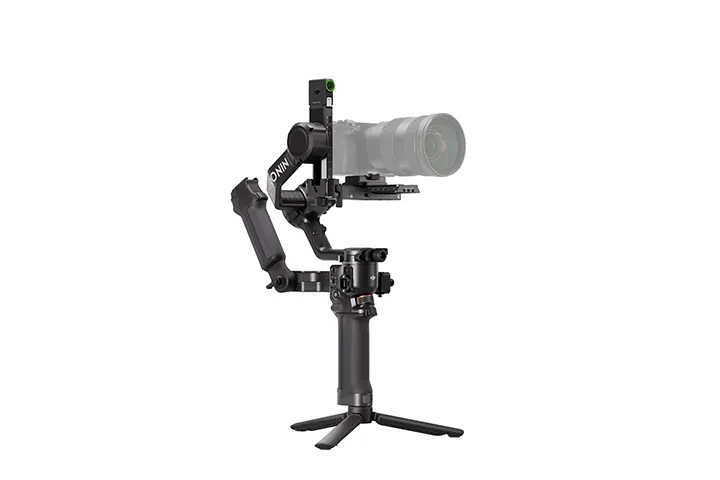
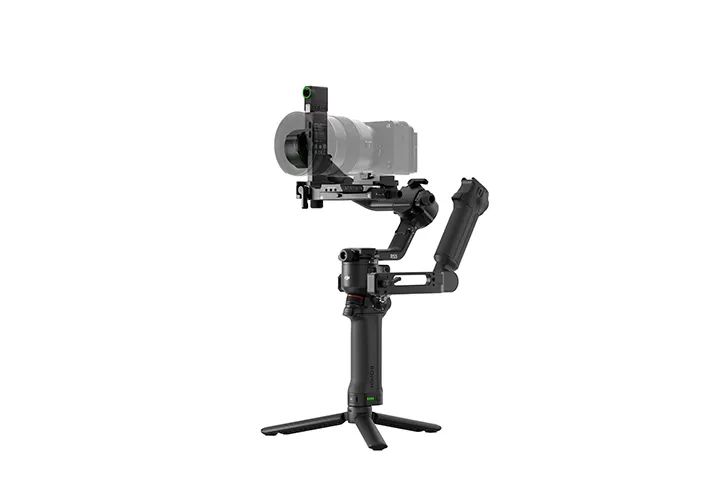
The gimbal weighs just 1.46 kg with battery grip and quick-release plates, and switches to vertical shooting without extra accessories. With a robust 3 kg (6.6 lbs) payload capacity, it can carry mainstream mirrorless camera and lens combinations [4] with ease.
Compatible Examples
Sony: FX3/A7M4/A7C/A1 + FE 24-70mm F2.8
Canon: R5 Mark II + RF 24-70mm F2.8
Nikon: Z6 III/Z7 II + Z 24-70mm F2.8
Panasonic: S5M2 + 24-60mm F2.8
Fujifilm: X-T5 + XF 16-55mm F2.8
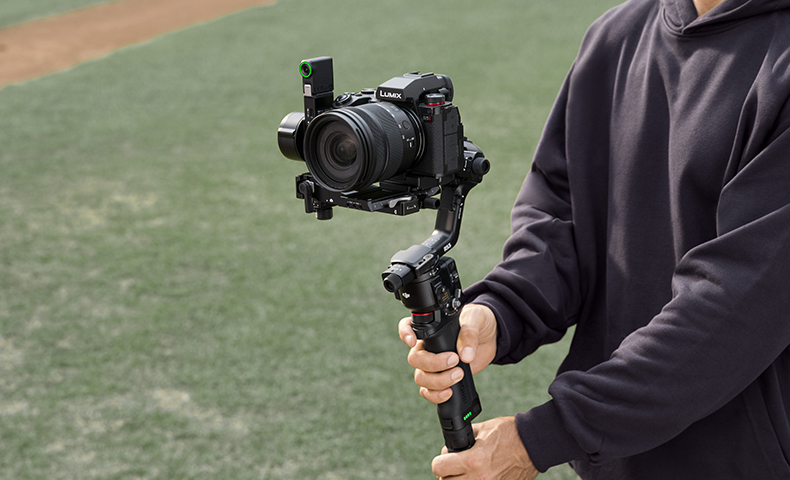
Experience Redefined, Creativity Ignited
New Electronic Briefcase Handle [2]
The new Electronic Briefcase Handle [2] offers intuitive, effortless single‑handed operation, featuring a joystick and buttons that control the gimbal and camera for more creative angles.
Longer Runtime, Fully Charged in 1 Hour [3]
Fully charge DJI RS 5 in just one hour—a 60% increase in speed. The standard battery delivers approximately 14 hours of standby time, a 15% improvement [3].
DJI RS BG70 High-Capacity Battery Grip
The new BG70 High-Capacity Battery Grip [5] can extend RS 5's battery standby time to 30 hours [6].
New Bluetooth Shutter Support for Panasonic & Fujifilm
In addition to cameras from Sony, Canon, and Nikon, the RS 5's Bluetooth shutter now supports specific Panasonic and Fujifilm cameras [7], enabling wireless control of shutter, zoom, and Clear Image Zoom with no cables required.
Z-Axis Indicator
The new Z‑Axis Indicator gives you instant feedback to fine‑tune your footsteps for steadier, more professional shots.
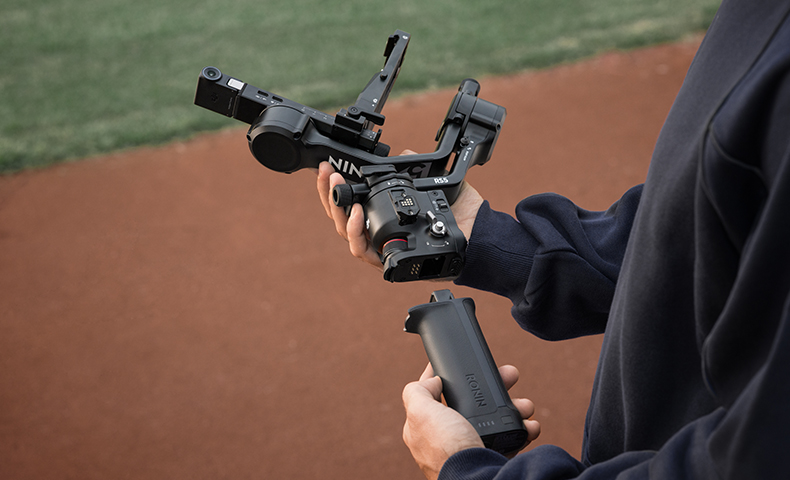
Control in Detail, Freedom in Motion
Smooth & Precise Balancing
Fine-tuning knobs on each axis arm enable quick, precise balancing through a leadscrew mechanism. Combined with Teflon™ interlayers, RS 5 delivers smooth and precise balancing even with heavier professional setups.
2nd-Gen Automated Axis Locks
The 2nd-Gen Automated Axis Locks automatically lock the gimbal upon power-off or sleep for easier transitions and storage. They unlock just as quickly upon power-on, getting you ready to film in an instant for those critical moments.
3rd-Gen Native Vertical Shooting
To switch to vertical shooting, simply loosen and press the single-side knob, remove the gimbal's horizontal plate, rotate it 90°, and then tighten it back in place [8]—all in just a few seconds.
Dual-Layered Quick-Release Plates
The Arca-Swiss upper plate and Manfrotto lower plate allow quick switching between gimbal and tripod without rebalancing, thanks to position memory. In addition, the upper plate adds an adjustable guide for secure camera mounting.
Support for DJI Focus Pro Motor
When paired with two Focus Pro Motors [5], RS 5 allows cinematographers to adjust the lens zoom via the joystick and precisely control the focus via the dial, facilitating smooth and effortless lens control.
Support for DJI SDR Transmission
Both independent cinematographers and small crews can utilize the DJI SDR Transmission [5] for high-definition live feeds, remote gimbal and camera control, Force Mobile, and more.
RSA Communication Port
The RSA port connects to the Electronic Briefcase Handle, RS Tethered Control Handle [5], and remote-control ring handles [5]. The open RS SDK also lets third-party developers create custom functions.
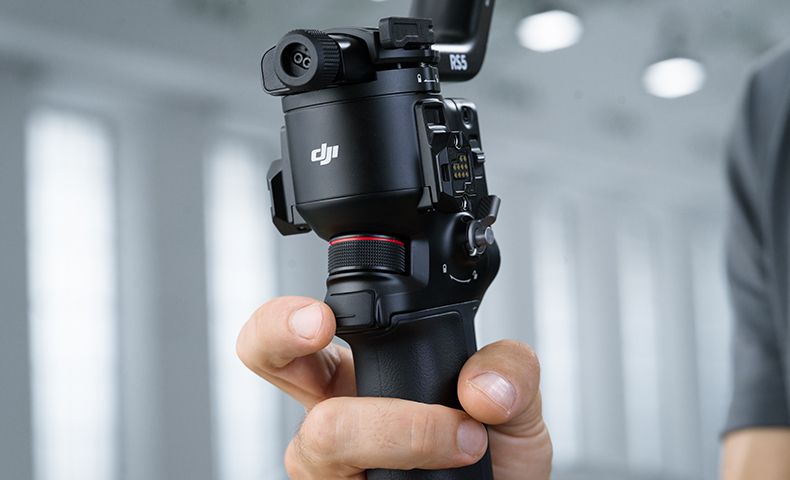
Notes
1. Requires the DJI RS Enhanced Intelligent Tracking Module, which is available for separate purchase or with the purchase of the compatible combo. Human tracking is limited to a single subject and is not recommended in scenarios with multiple people, overlapping positions, similar clothing, exaggerated movements, or complex attire. Vehicle tracking is suitable for single-vehicle scenarios where the vehicle body is less than 30% occluded and is not suitable for fast-moving vehicles. Pet tracking is limited to a single pet and is not suitable for pets that are moving quickly or changing direction frequently. If the subject temporarily leaves the frame, intelligent reacquisition within 2 seconds is only supported when tracking a person. Data was measured in a controlled environment. Actual experience may vary depending on the environment, usage, and firmware version.
2. The briefcase handle is available for separate purchase or with the purchase of the compatible combo.
3. Requires a 65W charger supporting PD protocol and DJI RS BG33 Battery Grip. The DJI RS BG33 Battery Grip is not available for purchase in India. Charging speed and battery runtime improvements are based on a comparison with DJI RS 4 using the DJI RS BG21 Battery Grip. Data was measured in a controlled environment. Actual experience may vary. For details, please refer to the product page on the official DJI website.
4. For more details on camera and lens compatibility, please refer to the Ronin Series Compatibility Search page.
5. Sold separately.
6. Measured in a 25° C (77° F) indoor environment with the gimbal balanced in a level and stationary state until the battery level reached 3% (with the battery grip only powering the gimbal).
7. Only available for specific Panasonic and Fujifilm cameras and requires updating to the latest firmware from the camera manufacturer's official website. For more details on camera and lens compatibility, please refer to the Ronin Series Compatibility Search page.
8. No rebalancing is required for the tilt axis (front to back) and the pan axis after switching between horizontal and vertical shooting.
Product Specifications
Peripheral
Accessory Port: Ronin Series Accessories (RSA)/NATO Ports
1/4"-20 Mounting Hole
Cold Shoe
Camera Control Port (USB-C)
Multifunctional Port (USB-C)
Battery: Model: BHX715-2150-15.48
Type: LiPo 4S Capacity: 2150 mAh
Energy: 33.29 Wh
Voltage: 11.2 V to 17.8 V
USB Input: 5 V/3 A, 9 V/3 A, 12 V/3 A, 15 V/3 A, 20 V/3 A Max
Standby Time: Approx. 14 hours*
Charging Time: Approx. 1 hour**
Suggested Charging Temperature: 5° to 40° C (41° to 104° F)
Connections: Bluetooth 5.0
USB-C Charging Port
Ronin App Requirements: iOS 14.0 or above
Android 9.0 or above
Languages Supported by the Touchscreen: English, Simplified Chinese, Traditional Chinese, German, French, Korean, Japanese, Spanish, Portuguese (Brazil), Russian, Thai
Working Performance
Tested Payload: 3.0 kg (6.6 lbs)
Maximum Controlled Rotation Speed: Pan: 360°/s
Tilt: 360°/s
Roll: 360°/s
Mechanical Range: Pan Axis: 360° continuous rotation
Roll Axis: -95° to +240°
Tilt Axis: -112° to +214°
Axis Lock: Auto
Vertical Shooting: Supported
Mechanical & Electrical Properties
Operating Frequency: 2.4000-2.4835 GHz
Bluetooth Transmitter Power: < 8 dBm
Operating Temperature: -20° to 45° C (-4° to 113° F)
Weight: Gimbal: Approx. 1193 g (2.63 lbs) (including the Upper and Lower Quick-Release Plates and screws)
Grip: Approx. 274 g (0.6 lbs)
Quick-Open Tripod: Approx. 149 g (0.3 lbs)
Upper and Lower Quick-Release Plates: Approx. 93 g (0.21 lbs) (including screws)
Dimensions: Folded: 247.4×115.7×258.7 mm (L×W×H, excluding camera, grip, and Quick-Open Tripod)
Unfolded: 223.2×192.2×418.8 mm (L×W×H, including grip, excluding camera and Quick-Open Tripod)
Accessories
DJI RS Enhanced Intelligent Tracking Module: Weight: Approx. 19 g (0.04 lbs)
Dimensions: 35.9×17.5×38.5 mm (L×W×H)
Tracking Distance: 0.5-10 m
Operating Environment: Illuminance > 20 lux
Trigger Modes: Gimbal trigger, gesture, gimbal touchscreen Gesture
Functions: Start/stop of tracking, start/stop of recording, framing adjustment
Power Consumption: Approx. 1 W
Operating Temperature: -10° to 45° C (14° to 113° F)
Mounting Method: Magnetic attachment
Electronic Briefcase Handle: Weight: Approx. 149 g (0.33 lbs)
Dimensions: 60×197.5×79.5 mm (L×W×H)
Standby Power Consumption: Approx. 0.2 W
Operating Temperature: -20° to 45° C (-4° to 113° F)
In the box
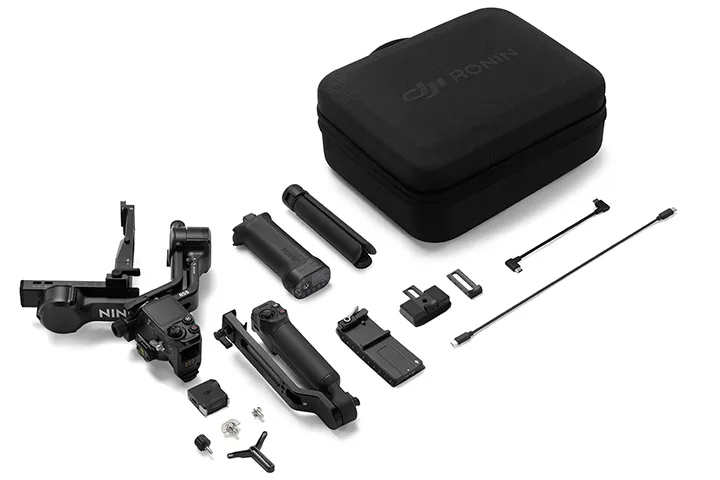
Gimbal × 1
Quick-Open Tripod × 1
DJI Logo Sticker × 1
Lens-Fastening Support × 1
Carrying Case × 1
L-Shaped Cable (USB-C, 13 cm) × 1
Screw Kit × 1
RS 5 Upper Quick-Release Plate × 1
RS 5 Lower Quick-Release Plate × 1
BG33 Battery Grip × 1
RS Enhanced Intelligent Tracking Module × 1
Electronic Briefcase Handle × 1
Multi-Camera Control Cable (USB-C, 30 cm) × 1
WHY BUY FROM US?
By buying from Ferntech, you'll have the confidence that you are dealing directly with New Zealand's leading drone experts. Our staff are knowledgable drone pilots who offer expert advice, trusted support and superior specialist service. Only through us will you receive a full New Zealand warranty, phone and email support, and access to our certified Repairs Centre with DJI-qualified drone technicians. And we guarantee that we will have the best prices on the market — if not let us know and we will match any price (conditions apply).
Warranty Details
1 Year
How many subjects can DJI RS 5 follow using ActiveTrack?
One.
When using ActiveTrack on DJI RS 5, how do I adjust composition?
You have three flexible ways to adjust the composition while tracking:
1. Slide right on the gimbal's home screen and tap the icon in the bottom left to enter ActiveTrack Settings.
Under ""Composition,"" you can choose between:
Keep Current Framing: The gimbal will maintain the current composition.
Center Tracking Subject: The subject tracked will be moved to the center of the ActiveTrack view.
2. You can use the joystick on the grip to control the gimbal and compose your shot.
3. The person being filmed can show a "Double L" gesture to activate composition adjustment. After the person moves to a new position, showing the "Double L" gesture a second time locks in the new composition.
What are the main upgrades of the DJI RS Enhanced Intelligent Tracking Module compared to the DJI RS Intelligent Tracking Module? What type of subjects can it track?
1. The DJI RS Enhanced Intelligent Tracking Module can display the tracking view directly on the RS 5 touchscreen, offering a clear view of the tracking status.
2. Supported tracking subjects have expanded from a single person to now include individual vehicles, pets, and any other subject.
3. It also allows you to directly frame a subject on the RS 5 touchscreen to select it for tracking, offering a more intuitive and convenient experience.
4. It automatically detects trackable subjects and displays them in a gray frame. Turn the dial to switch between subjects. Tap a frame to select a subject and start tracking.
Which gimbal models are compatible with the DJI RS Enhanced Intelligent Tracking Module?
1. Direct Attachment: DJI RS 5, DJI RS 4 Mini*
2. Requires Adapter Mount: DJI RS 4*, DJI RS 4 Pro*
* When using the RS Enhanced Intelligent Tracking Module with DJI RS 4, RS 4 Pro, or RS 4 Mini, ensure the gimbal firmware is updated to the latest version. This setup only supports tracking a single recognizable subject (person, vehicle, cat, or dog) and requires an environment free of similar interfering targets. Additionally, the tracking view cannot be displayed on the touchscreen of these gimbals.
What is the difference between using the Enhanced Intelligent Tracking Module and the Intelligent Tracking Module with DJI RS 5?
When using the Intelligent Tracking Module with DJI RS 5, it only supports tracking human subjects and no other types of subjects. Additionally, the tracking view cannot be displayed on the DJI RS 5 touchscreen.
Can the Intelligent Tracking Module be upgraded via firmware to gain the functions of the Enhanced Intelligent Tracking Module?
No.
How do I update the firmware of the DJI RS Enhanced Intelligent Tracking Module?
1. Download the corresponding firmware package from the download section of DJI RS 5's product page on the official DJI website.
2. Use the included USB-C cable to connect the Enhanced Intelligent Tracking Module to a computer.
3. Place the downloaded firmware package (file ending with .bin) in the root directory of the RS Enhanced Intelligent Tracking Module.
4. For Windows computers, directly unplug the cable. For Mac computers, click 'Eject' before unplugging.
5. Reconnect the computer using the USB-C cable, and the Enhanced Intelligent Tracking Module will automatically start updating. During the update, the status indicator will flash alternately in red and green.
6. When the status indicator turns solid red, the update is complete.
Which gimbal follow modes are supported when using the intelligent tracking and composition function?
This function is only supported in the PF (pan follow) and PTF (pan and tilt follow) modes. Not supported in the FPV (tilt, roll and pan follow) mode.
What gesture controls does the DJI RS Enhanced Intelligent Tracking Module support?
By default, the ""Palm"" gesture starts or stops tracking, the ""V"" gesture starts or stops recording, and making a ""Double L"" gesture with both hands adjusts the composition.
Additionally, you can customize the ""Palm,"" ""OK,"" and ""V"" gestures to either start/stop tracking or recording.
What should I do when the subject is not centered after setting the DJI RS Enhanced Intelligent Tracking Module to do so?
Start by sliding right on the RS 5 touchscreen home page, then tap the icon on the screen to enter ActiveTrack Settings. After tapping "Camera View Calibration", adjust the gimbal joystick left or right to align the framing of the tracking module with that of the camera.
What should I do if an axis arm blocks the tracking module when using intelligent tracking and composition for low-angle shots?
For low-angle shots, power off the gimbal, invert it, and then power it back on. This ensures the roll axis motor is positioned behind the camera lens.
To return to an upright position, power off the gimbal, return it to the upright position, and then power it back on. If the camera's flip screen is extended to the side, fold it back in to avoid interference with the axis arms.
How do I activate DJI RS 5?
Follow the steps below to activate the device:
1. Press and hold the power button to power on DJI RS 5.
2. Enable Bluetooth on your mobile device.
3. Launch the Ronin app and register or log in with your DJI account. Select DJI RS 5 on the device list, enter the default password: 12345678, and follow the on-screen instructions to activate DJI RS 5*.
4. DJI RS 5 will enter sleep mode after successful activation. Press the power button once to exit sleep mode before use.
* During activation, make sure your mobile device is connected to the internet.
How do I upgrade the firmware of DJI RS 5?
Follow the steps below to update the firmware:
1. Press and hold the power button to power on DJI RS 5.
2. Launch the DJI Ronin app, tap Connect to Gimbal, and select your DJI RS 5 on the device list*.
3. When new firmware is available, there will be a prompt on the top of the DJI Ronin app main interface that says ""Update Now""**. Simply tap it. There will be a prompt to indicate successful update. Tap Exit to complete the update.
4. If the update fails, restart the device and try again.
* If DJI RS 5 does not appear in the device list, tap the exclamation mark icon in the top right corner of the gimbal's screen to reset the Bluetooth connection.
** Do not power off the gimbal or exit the app until firmware update is complete.
Is DJI RS 5 waterproof or dustproof?
No. The ports on DJI RS 5 are not waterproof or dustproof. Please keep away from water and dust during use to avoid damaging the device.
What material is DJI RS 5 made of?
DJI RS 5 is primarily composed of aluminum alloy.
Which cameras and lenses are supported by DJI RS 5?
Please refer to the Ronin Series Compatibility Search page: www.dji.com/support/compatibility
Does DJI RS 5 have any key shortcuts?
1. Power Button
Press and hold: Power on/off.
Press once: Sleep/wake.
Press twice: Sleep without locking/wake up.
2. Trigger
Press and hold: Enter Lock/FPV mode (customizable).
Press twice: Recenter the gimbal.
Press three times: Enter Selfie mode.
3. Front Dial
Focus motor (by default).
4. Camera Control Button
Press halfway: Autofocus.
Press once: Start/stop recording.
Press and hold: Take a photo.
5. Joystick
Zoom Control
Push up or pull down: Control external focus motor zoom, Power Zoom for Sony PZ lenses, or Sony Clear Image Zoom.
Gimbal Control
Push up or pull down: Control tilt axis movement (by default).
Push left or right: Control pan axis movement (by default).
6. M Button
Press once: Can be customized to Take Photos, C1/Fn1 Button Mapping, or Lock/Unlock Screen.
Press and hold: Enter Sport Mode.
Press and hold the M button while pressing the trigger twice: Enter and remain in Sport Mode. Repeat to exit.
Press and hold the M button and trigger: Start auto tune.
How do I use the automated axis locks of DJI RS 5?
When the gimbal is powered off, press and hold the power button, and the three axes will unlock and expand automatically to become ready for use within seconds. Press and hold the power button again to lock the axes and power off the gimbal. During use, press the power button once, and the axes will automatically lock and enter sleep mode. Press once again to unlock and wake. You can set the movement of the automated axis locks on the touchscreen. When DJI RS 5 is being powered on/off, the movement can be Recenter & Lock, Fold & Lock, or None. When DJI RS 5 is entering sleep mode, the movement can be Recenter & Lock or None. Additionally, the automated axis locks also support manual locking and unlocking.
How do I enable the different gimbal modes of DJI RS 5?
With the gimbal mode switch, you can quickly switch between PF, PTF, and FPV modes. FPV mode is also customizable to 3D Roll 360 or Custom via the touchscreen.
Are there any operating temperature limits for DJI RS 5?
It can be used in environments from -20° to 45° C (-4° to 113° F).
What should I do if a DJI RS 5 axis arm won't lock?
Lift the axis lock buckle, readjust its position, and then re-lock it.
Can I use the fine-tuning knobs to balance the gimbal while the axis arms are locked?
This is not recommended, as prolonged use in this manner may damage the fine-tuning knobs.
How do I enable Bluetooth shutter on DJI RS 5?
Swipe down from the touchscreen home page, tap the Bluetooth icon, and DJI RS 5 will begin searching for the Bluetooth signals of the surrounding devices. Select the Bluetooth name of your camera. Certain camera models require a pairing password. After successful pairing, the Bluetooth icon will turn blue. For detailed steps, watch the tutorial DJI RS Series | How to Connect a Camera.
What functions can be achieved through DJI RS 5's Dual-Mode Bluetooth technology?
Press the camera control button halfway to activate autofocus, tap once to start or stop recording, and press and hold to take a photo. You can also use the joystick to control Power Zoom for Sony PZ lenses, as well as Sony Clear Image Zoom.
How long is the standby time of the DJI RS 5 battery grip?
Approx. 14 hours*.
* The 14-hour standby time is achieved with the DJI RS BG33 Battery Grip. The DJI RS BG33 Battery Grip is not available for purchase in India. This data is measured in a 25° C (77° F) indoor environment with the gimbal balanced in a level and stationary state until the battery level reaches 3% (with the battery grip only powering the gimbal). Measured in a controlled test environment. Actual experience may vary depending on the environment, usage, and firmware version.
How long does it take to fully charge the DJI RS 5 battery grip?
Approx. 1 hour*.
* Measured at an ambient temperature of 25° C (77° F) using a 65W charger supporting PD protocol to fully charge the DJI RS BG33 Battery Grip. The DJI RS BG33 Battery Grip is not available for purchase in India.
Can DJI RS 5 be used while charging?
Yes.
What accessories can be used interchangeably among DJI RS 5, DJI RS 4, DJI RS 3 and DJI RSC 2?
Please refer to the DJI RS Series Universal Accessories List.
Can the DJI RS 5 Electronic Briefcase Handle be used with DJI RS 4, DJI RS 4 Pro, or older models?
No. The signal-blocking structure on the Electronic Briefcase Handle can damage older gimbal models.
Can the DJI RS 5 Electronic Briefcase Handle be mounted in reverse?
No.
There's currently no reviews for this product, be the first to write one.