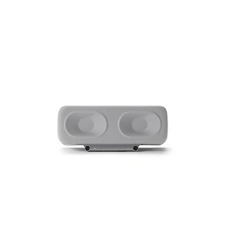


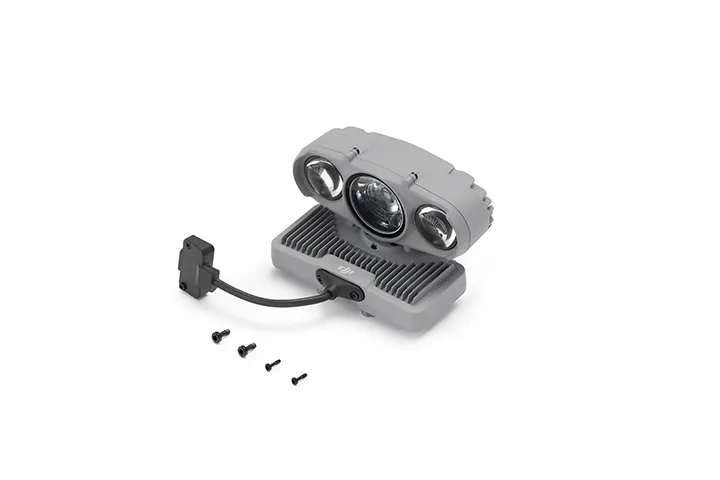
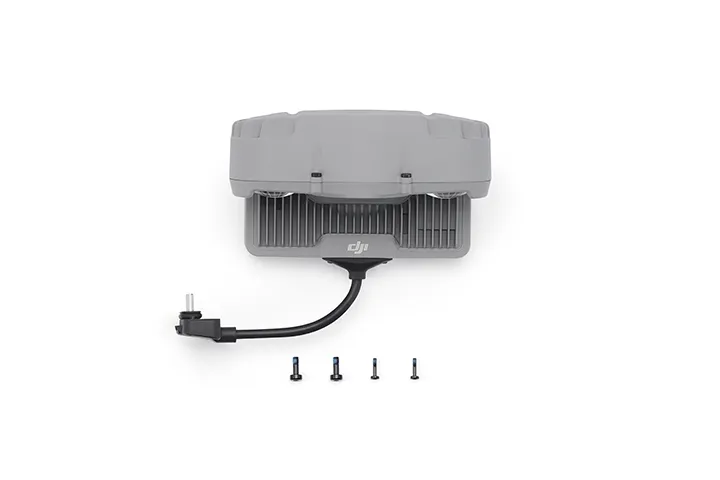
DJI AL2D SpotLight with Accessory Mount
Or 4 interest-free payments of $184.00 with 
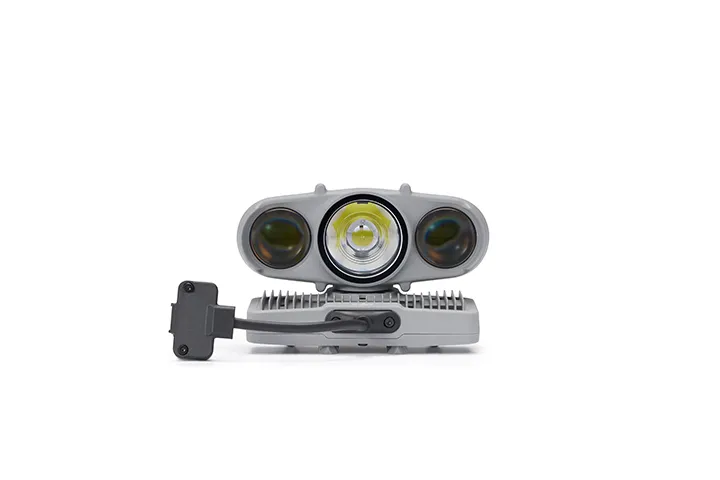
Spot and Flood modules deliver 2.6× the previous-gen brightness and illuminate up to 100 m. Always-On Mode offers Spotlight, Floodlight, Both On, and Auto. Also supports Strobe Mode, gimbal follow, and +90° tilt. Mount alone or with the speaker/parachute.
Features
Spot and Flood modules deliver 2.6× the previous-gen brightness and illuminate up to 100 m. Always-On Mode offers Spotlight, Floodlight, Both On, and Auto. Also supports Strobe Mode, gimbal follow, and +90° tilt. Mount alone or with the speaker/parachute. IP55-rated.
Compatibility
DJI Matrice 5TD
Product Specifications
Weight: 115 g (excluding bracket)
Dimensions: 91×54×60 mm (L×W×H, excluding bracket)
Max Power: Spotlight: 40 W
Floodlight: 18 W
Both On: 48 W
Illuminance: Spotlight: 11.2±0.5 lux @ 100 metres
Floodlight: 2.7±0.2 lux @ 100 metres
This data was measured with the aircraft hovering in a laboratory environment at an ambient temperature of 25° C (77° F).
Effective Illumination Angle: Spotlight: 14.5° (10% center illuminance)
Floodlight: 23° (10% center illuminance)
Effective Illumination Area: Spotlight: 500 square metres @ 100 metres (10% center illuminance)
Floodlight: 1,300 square metres @ 100 metres (10% center illuminance)
Operating Mode: Always-On Mode: Spotlight, Floodlight, Both On, and Auto (automatically switches lighting modes based on the zoom level)
Strobe Mode: Slow, Fast
When the spotlight is turned on, visual obstacle sensing is disabled and only the mmWave radar and LiDAR remain active, reducing omnidirectional obstacle sensing performance. Fly with caution.
Gimbal Mechanical Range: Tilt: -135° to +135°
Gimbal Controllable Range: Tilt: -90° to +90°
Gimbal Max Control Speed (tilt): 120°/s
Gimbal Alignment Accuracy: ±0.1°
Operating Temperature: -40° to 50° C (-40° to 122° F)
Ingress Protection Rating: IP55
Mounting: Mounted on the right side of the aircraft using the Matrice 5TD Accessory Mount. Make sure to tighten the mounting screws during installation.
In the box
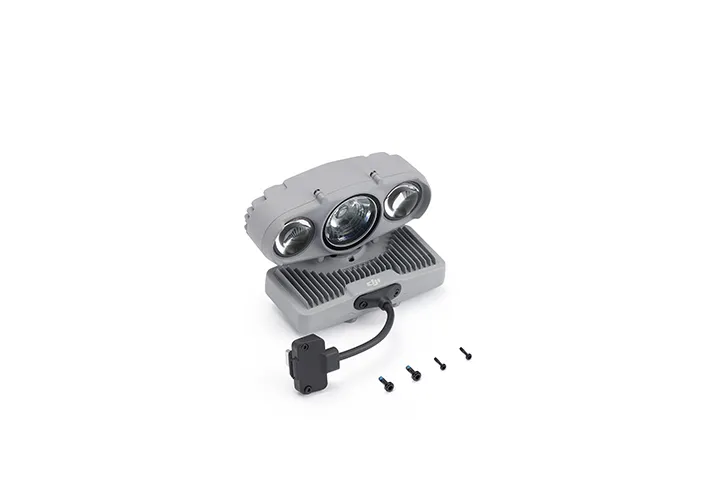
DJI AL2D SpotLight x 1
DJI Matrice 5TD Series Accessory Mount x 1
WHY BUY FROM US?
By buying from Ferntech, you'll have the confidence that you are dealing directly with New Zealand's leading drone experts. Our staff are knowledgable drone pilots who offer expert advice, trusted support and superior specialist service. Only through us will you receive a full New Zealand warranty, phone and email support, and access to our certified Repairs Centre with DJI-qualified drone technicians. And we guarantee that we will have the best prices on the market — if not let us know and we will match any price (conditions apply).
Warranty Details
What functions does the DJI AL2D Spotlight support?
The DJI AL2D Spotlight supports four lighting modes: Floodlight, Spotlight, Both On, and Auto. It also supports two alert modes: Fast Strobe and Slow Strobe, and allows gimbal follow to be enabled or disabled.
What are the differences between the DJI AL2D Spotlight and the DJI AL1 Spotlight?
The brightness has been significantly increased to 2.6 times that of the previous generation.
A new dual-lens high-brightness spotlight has been added, supporting both spotlight and floodlight modes.
Upward illumination is supported at angles up to +90°.
Which aircraft are compatible with the DJI AL2D Spotlight?
It is compatible only with the DJI Matrice 5TD aircraft.
What precautions should be taken when installing the DJI AL2D Spotlight?
Install the spotlight on the right side of the aircraft using the Matrice 5TD accessory mount, and make sure the mounting screws are securely tightened.
Install the spotlight before powering on the aircraft. Do not install the spotlight while the aircraft is powered on.
Make sure the plug is securely inserted. Do not pull the cable with excessive force, as this may compromise water resistance or cause damage.
Tighten the connector screws properly. Do not overtighten them, as this may cause damage.
After installation, connect to the internet and follow the prompts to activate the spotlight. If prompted to update the firmware, update it promptly to the latest version.
What precautions should be taken when using the DJI AL2D Spotlight?
Note the following when using the spotlight:
1. After the spotlight is installed, the aircraft's propulsion performance and flight endurance will be affected. When the spotlight is turned on, visual obstacle sensing is disabled and only the mmWave radar and LiDAR remain active, reducing omnidirectional obstacle sensing performance. Fly with caution.
2. DO NOT point the spotlight directly at anyone’s eyes, as this may cause eye injury.
3. The spotlight may become hot after prolonged operation. Avoid touching it to prevent burns.
What are the tips for using the DJI AL2D Spotlight?
When using the spotlight during high-altitude flights, water vapor and suspended particles in the atmosphere may make the image appear washed out. It is recommended to enable the electronic defogging function for better image quality.
To minimize the impact on the aircraft's flight endurance, reduce the spotlight brightness as appropriate and turn it on only when needed.
Does the DJI AL2D Spotlight support disabling gimbal follow function?
In the spotlight settings, you can choose to disable the gimbal follow function.
Please note that once disabled, the spotlight will maintain its current angle; when re-enabled, the spotlight will automatically adjust to align with the gimbal's orientation. The gimbal follow function will remain enabled by default after the aircraft restarts.
How do I update the firmware of the DJI AL2D Spotlight?
After the spotlight is installed on the aircraft, its firmware will be updated together with the aircraft firmware. The firmware can be updated in either of the following ways:
1. Perform a one-click update on the Device Management page in DJI FlightHub 2.
2. Connect the aircraft to a computer and update it using DJI Assistant 2 (Enterprise Series).
What are the transportation and storage precautions for the DJI AL2D Spotlight?
The product may be damaged or malfunction if subjected to impact. Handle with care during installation and use. DO NOT drop the product.
What is the IP rating of the DJI AL2D Spotlight?
IP55.
There's currently no reviews for this product, be the first to write one.